Wordpress is outdated

Fresh install of FreedomBox and I just did a manual update. WordPress is still 6.1.6 but the latest is 6.6.2.

That little bit of difference would be fine but nearly half the plugins in the wordpress repository are telling me I can’t install them until I update wordpress core. I tried that within wp-admin but it thinks it has the latest.

So now my choices are manually updating wordpress by replacing folder/files or go find an older version of any plugin I want and manually installing them.

Judging from a post last year, it looks like plugins and themes need to be manually updated all the time anyway.

WordPress updates are too frequent imho. On the other hand, since it’s the most popular web app script in the world, it’s also the biggest target for hacking.

EDIT;
I see now that it’s a debian thing by looking at wp-config. No auto update core as it should be a package update. “debianized wordpress”

Manually updated it and can now install any plugin in the wp repository.

How did you go about “Manually Updating” it?

1 Like

Debian may choose a particular version because of software licenses. So they could stay downrev if an insufficiently free library were used or something. Generally Debian picks a version for a release and sticks to it except for security updates.

Because of this your package may not be up to date with the distributor’s release.

@joseph , Thanks for the reply! I noticed after the update to Trixie, that WordPress is outdated again, the current version is 6.8.2, and my installation (even after running apt update && apt dist-upgrade today) is sitting at 6.8.1. So do we just wait for Debian upstream to fix this, or is there a way to manually upgrade, like they have instructions for here: Updating WordPress – Documentation? I know that the FreedomBox installation of WordPress is different than a standard installation, that is why I’m a little nervous to try this! :wink:

One way to keep relatively current is to follow Debian testing rather than Debian stable (currently Trixie). The stable release is updated infrequently but the testing release is continually updated as packages are introduced into unstable and get promoted to testing. FreedomBox builds images for both Debian stable and testing. The downside is that testing is less stable than stable.

At this point, being on Debian testing wouldn’t get you to Wordpress 6.8.2 since stable, testing, and unstable are currently all at 6.8.1. However, it’s likely that the Wordpress package will get updated to 6.8.2 at some point and end up in testing, at which point FreedomBox instances on testing will get updated.

You might want to take a look “20.1. When Will I Get the Latest Features?” in the Software Updates section of the manual or this forum post on switching to the testing release.

I can’t speak to upgrading Wordpress outside the Debian/FreedomBox process.

What if you roll with 6.8.1 and focus on your writing instead?

Debian has a slow release cycle. You are at the beginning and this is pretty much as current as it will be. You get a reliable system with good community support, but you won’t be on the leading edge of WordPress version changes going forward. Try to settle in for a while and see how it treats you.

You always have the option of getting the software current, but you’ll have to manage that on your own installing in /usr/local or /opt. If you go this route to keep WordPress up to date you may also have to manage some of the software dependencies. It can be done, but it’s a skill you’ll have to learn if you are new to that.

I used Linux before there was good package management - today I’m lazy and just let the Debian team handle it for me. They do a nice job. By the time the release updates happen I’m happy for the new versions, but everything still works well.

@joseph

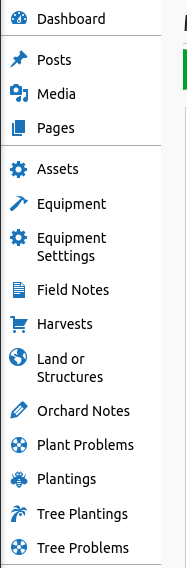
WordPress has grown way beyond a simple blogging engine. I have one WordPress site that is all Custom Post Types(CPTs).

Instead of a post title and post content, it has drop down select fields, relational fields, date picker, number only field and other Custom Fields.

This requires a plugin. A while back, that plugin needed an update for security reasons. I updated it and it deactivated itself due to wordpress being outdated. That meant 90% of the website’s content would not display.

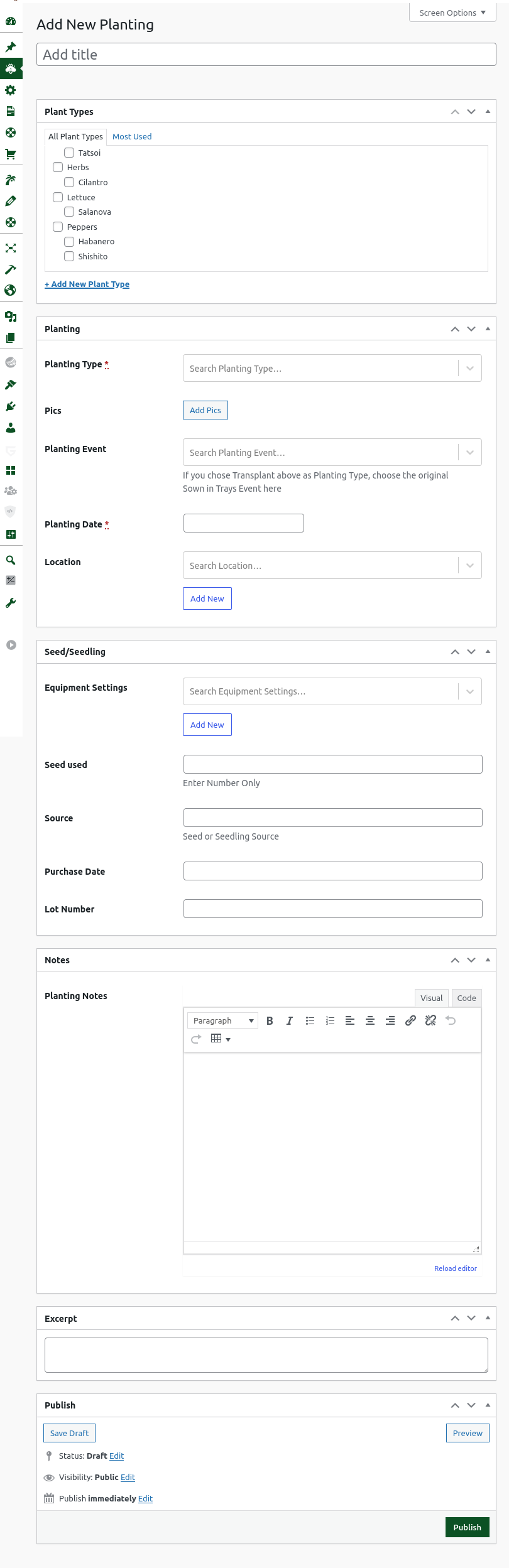
Posts | Media | Pages are standard wordpress content. Everything below are CPTs. I basically built a Market Gardener - Small Farm application.

Adding a Planting Record

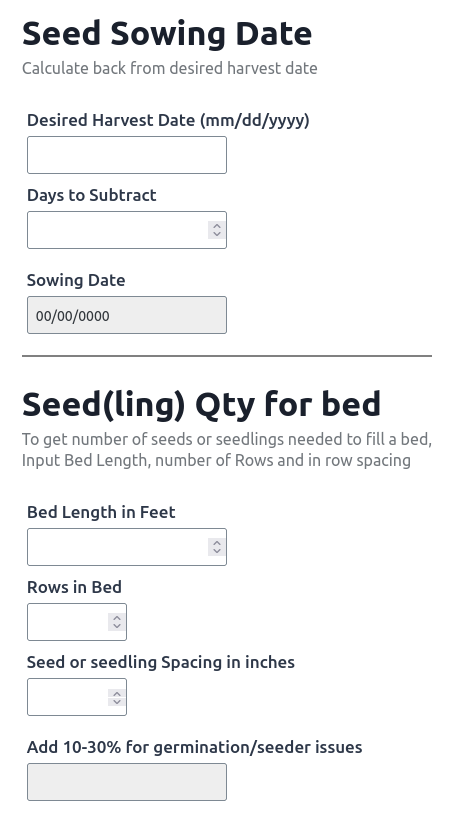
I also made seed calculators using an advanced math based plugin.

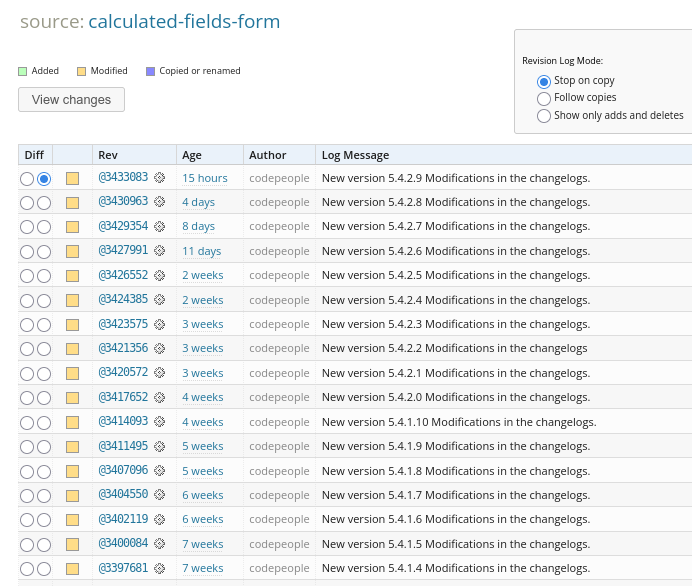
That plugin gets updated often

I have a few Pages. I don’t use Posts aka blog posts. Media gets used for most content types. All else disappeared on that plugin update. I’m still tweaking things and when done, I’ll turn all those content types into php templates at which point I won’t need the plugin.

I currently use paid hosting for this site/app because FBX was running slow and I never could get Let’s Encrypt to work. I’ve since reinstalled FBX and it’s running nice and fast and Let’s Encrypt automatically added an SSL cert.

I’ve got 6 months left on this 1st year of hosting and after that it gets expensive. I usually have 3-4 WordPress websites at any given time but am down to 2,

So I have 6 months to figure out how to host more than one wp site from home. I may end up with 3-4 Mini PCs each running FBX/WP. Find a Mini PC that holds two M.2 SSD drives and run as RAID 1 mirrored. No sharing of resources and physical backup/redundancy.

I’m starting an orchard this year and will use this wp app to keep records on fruit/nut trees that will likely outlive me.

This fresh install of FBX is running WP 6.8.1 but WP recently had a major version update and latest is 6.9. as of Dec 2, 2025. I’m going to read up on 6.9 and see if it’s had any issues. I may update manually today or may wait until the next minor version update.

Quick glance shows 416 support tickets with all 416 being closed. Zero open tickets so it seems to be solid. They’ve gotten very good at what they do. That’s why WP runs 43% of websites worldwide.

I’ve done it before and it works as per the instructions on wordpress.org. Upgrading WordPress – Advanced Administration Handbook | Developer.WordPress.org

wp-config is definitely different on FBX/WP than a standard WP site but that file NEVER gets over written when updating WP.

Naturally, the wp-content folder with your themes, plugins and uploads doesn’t get over written either.

If you don’t want to do it via terminal commands, you can install Midnight Commander. It’s a visual file manager that works in a terminal.

sudo apt install mc

Grab the latest with;
wget https://wordpress.org/latest.tar.gz

Unpack with;
tar xf latest.tar.gz

FBX WordPress files are in /usr/share/wordpress

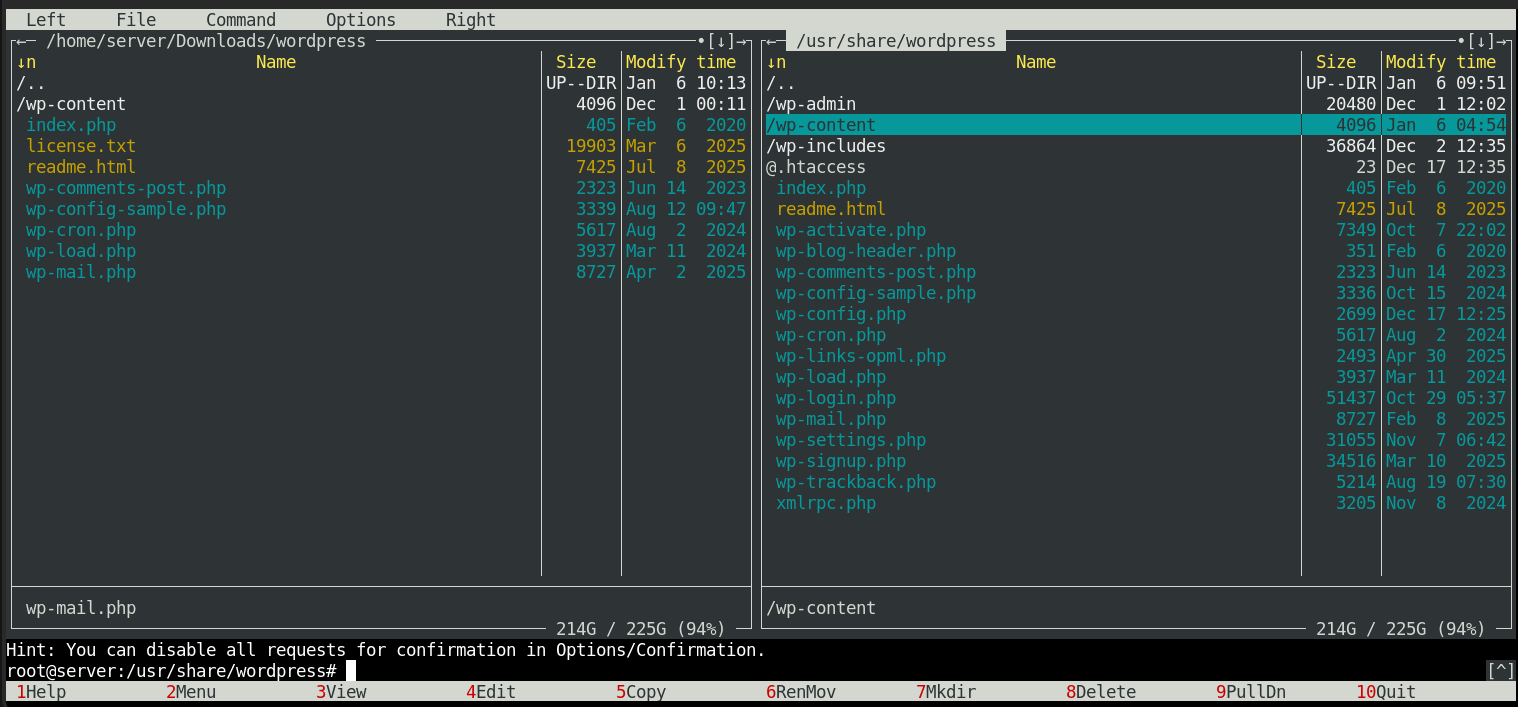
Here’s Midnight Commander after updating WP. wp-content is still on the left as are a bunch of files that have the same date meaning they’re duplicate and not updated. All else got sent to the right pane with F6 and overwritten via choice to do so in a popup. I now have WordPress 6.9

1 Like

Blast from the past! :slight_smile: I have not used MC in a “minute” or two! TY for reply, I will tinker with that a bit, but I think I should also probably follow @joseph’s advice:

and work on turning out more content, when I can find the time in my (currently) too busy life… :wink:

P.S. Thank You Very Much to everyone here for all the replies, I have been remiss in replying. :-/

1 Like