[SOLVED] Problems with samba

Recently started trying out Freedombox, looking for an alternative to the Ubuntu server installs that I’ve used in the past. At the moment, I have two experimental installs, one on an old Gen 7 HP Proliant Microserver and the other on a friend’s Dell (which Microsoft have rendered obsolete, since it seems it is not suitable to run Windows 11. In both cases, I used a Debian Trixie install and selected the Freedombox “blend” (following an item I read on the Register). Generally works well, but the Samba addon is giving me problems.

On the HP machine, the install is to a 250GB SSD, and the machine has two 500 GB conventional drives. I selected those to act as the Samba shares, and have so for tried group and home shares. However, I can’t connect to either share.

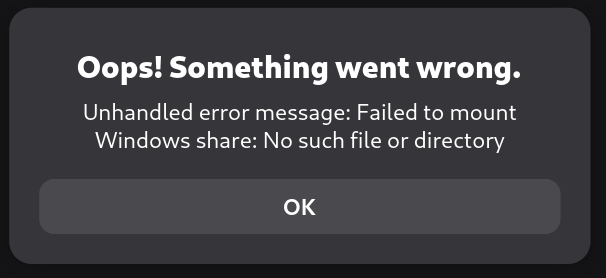
From Linux, depending on whether I use smb://<machinename> or smb://<machinename>.local I get different errors. The first alternative gets me a login prompt, but fails to login, simply cycles and prompts again for the username/password. The second option gives me Failed to open"File System". Failed to retrieve share list from server: No route to host.. Trying the same thing under Windows gives a very slow response but eventually also fails to find the share. Using the test machine’s IP also fails to find a route to host.

Looking at etc/sambs/smb-freedombox.conf shows on possible reason for the errors - the hosts allow listing does not include the subnet for either of the two networks I’ve got available for testing. Which means that both local networks are probably being affected by the host deny = all directive. So far I’ve not seen any way that I can change parameters that won’t be overwritten by plinth - maybe I’m missing something there

Anyway, I’m looking for suggestions as to what is the most likely reason for the errors I’m seeing and how best to fix them?
Greetings @toothandnail and welcome! I’m glad to see you come in after reading the Register FreedomBox article.

I’m running an up-to-date FreedomBox and I’ve just confirmed that my samba share is working. It’s mostly as you describe, except for the working part. I see my FreedomBox from the Gnome Files window with the smb://freedombox.local:445 URL. I get the login prompt, and I use my FreedomBox username and password keeping the WORKGROUP domain unchanged. That will get me to the ‘disk’ folder which is the Open Share configured from the FreedomBox Samba app management page.

My /etc/smb-freedombox.conf contains these lines you refer to:

hosts allow = 127.0.0.0/8 10.0.0.0/8 172.16.0.0/12 192.168.0.0/16 169.254.0.0/16 ::1
hosts deny = all

I have not hand modified my samba configurations.

Maybe start with the low-effort path. Go to FreedomBox apps, pick the Samba tile, go to the gear menu and do ‘Re-run setup’. Perhaps setup didn’t get the hosts allow right for some reason.

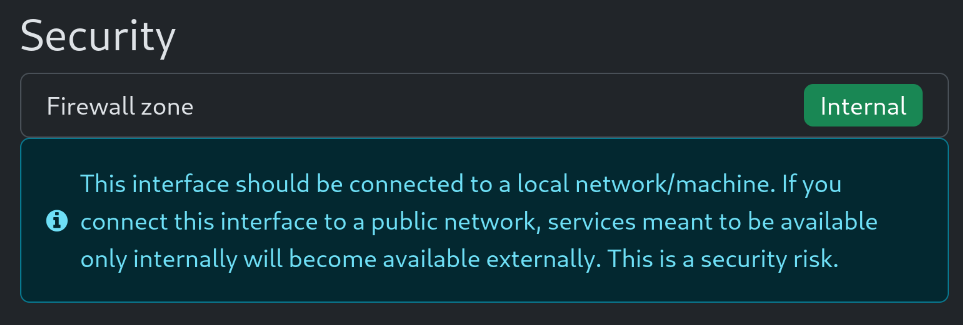
Let me also point out that you’ll need to connect to FreedomBox from the LAN (internal firewall zone) side for Samba as it is an internal service by default.

the hosts allow listing does not include the subnet for either of the two networks I’ve got available for testing

Are those networks managed by NetworkManager? If you set those up at Debian install time you may need to comment those out in /etc/network/interfaces. That’s a common rookie mistake. There’s a message that will flash by in the apt install text and it’s only by luck I saw it. As a seasoned linux user, I of course did not read the FreedomBox manual for my first (re)installation(s). If this be the case then you’ll want these in your internal firewall zone for samba.

Here’s the manual reference. Look at “Tips and Troubleshooting” for the bit about /etc/network/interfaces

Regards

I’m adding it just as a possible quick fix and to check if the shares are accessible.

In my case, from Linux, I have recently lost the ability to access the shares via the local domain. I’m accessing them at the FreedomBox’s local IP address and I no longer get the authentication error.

However, it could be an issue specific to my machine.

… lost the ability to access the shares via the local domain

My share access is working via smb://freedombox.local:445 and I’ll point out that I have two interfaces with the internal network as “Shared.”

Hi @joseph, thanks for the reply.. Taken me a while to get back while I checked things. The aolowed list that you posted is identical to the one I find in /etc/samba on both my installs. I’ve tried re-running setup, hasn’t changed anything. So I rather suspect that that list is hardcoded, but I don’t know how to locate the data that plinth uses when installing samba.

In my case, one of the networks I’m using to test is using the 192.168.1.xx subnet, the other is using 10.1.0.xxx. Neither of those subnets are in the allowed list. Is the subnect used in your network one of the ones in the allowed list?

The other thing I’ve found is that in /var/lib/samba, the install has created a usershares directory. I was hoping I could use a more flexible approach, but maybe I have to use that directory as the root for shared files? If so, I can probably do it, but it will require some careful use of bind mounts, given that my test box has two 500 GB disks I have already used as samba mounts. When I configured samba it offered the two disks, but maybe it doesn’t accept them? I tried disabling the shares I’d set up on the two 500 GB drives, and only enabling shares on the freedomebox system drive, but still can’t connect.

I can disable the plinth controlled samba setu pand configure it manually, but I would rather avoid doing so if possible. In the last 6 or 7 months, I’ve replaced a lot of pefectly functional PCs with new ones, given the requirements MS has set for Windows 11. Dreadfully wasteful, and I hate doing it. With something like Freedombox, I can find an alternate purpose for a number of machines that wil otherwise end up as scrap. For that reason,I’ve been looking at Freedombox, UmbrelOS and YunoHost, all of which have the potential to create useful home servers with a minimum of technical support.

FreedomBox’s Samba app will store the shares you create in /var/lib/freedombox/shares.

For home shares, the path is: /var/lib/freedombox/shares/homes

For the open share, the path is: /var/lib/freedombox/shares/open_share

Could you access your share at the FreedomBox’s internal IP address?

Yes. This is in /etc/samba/smb-freedombox.conf…

  • allow 10.0.0.0/8 allows 10.anything and covers the VPN network at 10.84.0.0/24 (WireGuard configured by FreedomBox)
  • allow 192.168.0.0/16 allows 192.168.anything which covers my LAN subnet which is managed by NetworkManager.

Are you trying to connect to samba from a subnet which is defined as an internal (down at the bottom of the System / Networks / Connections page)?

Thanks. I can see that directories have been created for the shares I’ve enabled. However, I can’t log on to the machine using SMB at all - if I use smb://<machine-name>.local I get “Failed to open file system. Failed to retrieve share list from server. No route to host”. If I use smb://<machine-name> I get a login prompt, but entering my user name and password the prompt simply recycles, no error, but the same prompt again. Which may well be a result of the host-allow and host-deny settings in /etc/smb-freedombox.conf

I’m not sure what would trigger plinth to rewrite the smb-freedombox.conf. I will try edit it to include the correct subnet in the allowed list and restart the samba daemon, see what that does…

Have you tried logging on by using:

From Linux: smb://<freedombox-ip>
From Windows: \\<freedombox-ip>

Where <freedombox-ip> is the IP of the FreedomBox in your local network, for ex: 192.168.1.2

In my case, since it seems I’m having an issue in my setup, I get authentication failure errors when trying to access with the hostname.local domain, but I can authenticate when accessing via the local IP address.

Here are some forced errors which may help you narrow things down.

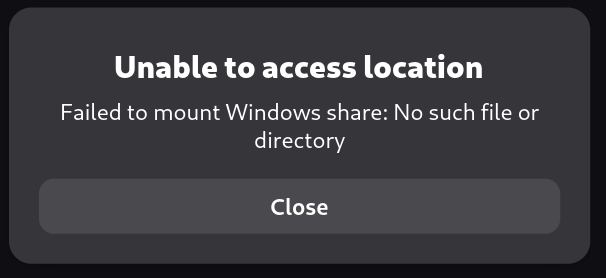
SMB server works, path to share which does not exist

smb://freedombox.local:445/totallybogus


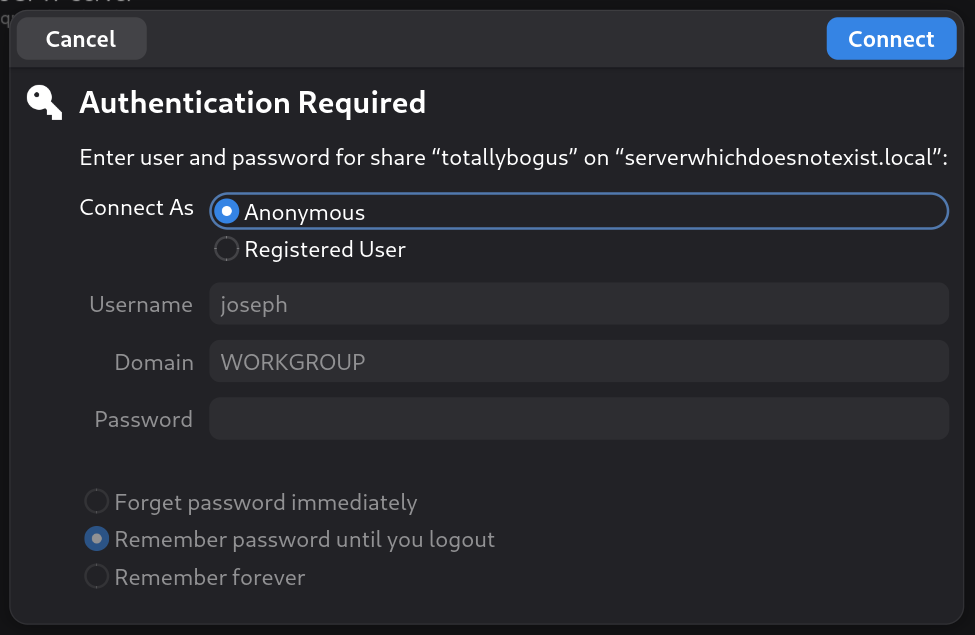
SMB server does not exist (or cannot be resolved or contacted)

smb://thisserverdoesnotexist.local:445/totallybogus


Weird there is an authentication prompt. I didn’t try to log in.

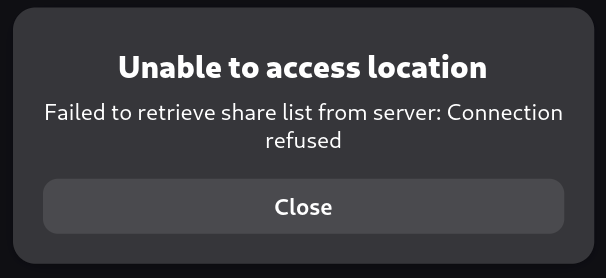
SMB server does not exist and no path specified

smb://bogusserver.local:445/

Thanks for those. I’ve been tracking various possibilities, and I’ve found at least part of the problem. Some of the errors I was getting match those in your examples, though variable - in some cases “no route to host”, in a couple of others, “connection refulsed”.

First I checked the samba logs. Which showed nothing but the server starting and stopping. No sign of any incoming connection attempts. Given that I could SSH to the machine and ping it, as well as log into the Plinth interface, I wondered if something was not working with the firewall, even though the web interface showed it enabled. So it should have worked..

I then disabled the firewall from the command line and tried connecting tothe samba shares from another machine. With the firewall shut down, I could see the shares. Still can’t log in, but there is obviously something not correctly set in the firewall. I’ll have to have a look at the rules later, but there is still a problem. Attempting to log in got me a login prompt, but no real login.

I looked at the samba logs again, and found this:

[2026/02/11 17:11:39.743912, 0] lib/util/access.c:372(allow_access) Denied connection from fd71:a26:5319:0:5f62:dfc:1413:ed20 (fd71:a26:5319:0:5f62:dfc:1413:ed20)

I’m not sure if this is due to the ipV6 incoming address, but that seems likely. I’m using a Fritz!box router which allocates ipV6 addresses as well as ipV4, and I’ve noticed most of the machines in my network are identified by the ipV6 address primarily. The base Debian install went through a stage of configuring DHCP by ipV6, not sure if the normal installer does that.

I’ve never had to declare an ipV6 address in an smb.conf, but I’ve also never used a hosts deny directive in an smb.conf either. I’ve had no problems accessing samba shares on my current production home server, so I don’t really know whether to look the ipv6 address as the issure, or check whether the ldap server is correctly set up - I have seen a few strang messages about authentication in other logs on the Freedombox machine.

At lease now I’ve got some idea of where to look for the problem. I’m not sure if I can disable ipV6 and see if that changes things, since there is no setting in the router to allow that option. I guess further investigation is needed.

Yep. Reread my replies above.
You’ll need the various network interfaces managed by network manager to get the firewall zone set to allow connections to get to samba.

So far as I can tell, they are. The machine has 2 gigbit interfaces, only one of which is in use. I checked /etc/network as you suggested - the interfaces file lists only the loopback interface. network manager is active, and nmcli shows the following:

`enp3s0: connected to Wired connection 1
“Broadcom and subsidiaries NetXtreme BCM5723”
ethernet (tg3), 38:EA:A7:A1:04:B9, hw, mtu 1500
ip4 default
inet4 192.168.1.210/24
route4 192.168.1.0/24 metric 100
route4 default via 192.168.1.1 metric 100
inet6 fd71:a26:5319:0:6159:7ce3:5697:cd52/64
inet6 fd71:a26:5319:0:3aea:a7ff:fea1:4b9/64
inet6 fe80::3aea:a7ff:fea1:4b9/64
route6 fe80::/64 metric 1024
route6 fd71:a26:5319::/64 metric 100
route6 fd71:a26:5319::/64 via fe80::1eed:6fff:fe3c:f2b6 metric 105

lo: connected (externally) to lo
“lo”
loopback (unknown), 00:00:00:00:00:00, sw, mtu 65536
inet4 127.0.0.1/8
inet6 ::1/128

enp2s0: unavailable
“Realtek RTL8111/8168/8211/8411”
ethernet (r8169), 00:13:3B:4A:43:59, hw, mtu 1500

DNS configuration:
servers: 192.168.1.1
domains: fritz.box
interface: enp3s0

    servers: fd71:a26:5319:0:1eed:6fff:fe3c:f2b6
    interface: enp3s0`

That also fails to explain the failure to connect when the firewall is disabled. Since I only stopped the firewall to test, it will be active next time the machine boots. I’ll have to see if I can find the active rule set and work out that part of the problem atleast. I still need to find why the connection is denied when it can be seen.

Sorry, I missed replying to this before. I’ve used 3 variations in my attempts to connect to the shares - smb://<machine-name> smb://<machine-name.local>, smb://<machine-ip>. <machine-name> on its own gets mea login prompt,but fails to log in, the others get me errors even seeing the machine. Using the \\ syntax from a Windows machine gets me complete failures, not even a login prompt.

From my test disabling the firewall, it looks as though part of the problem is that the Freedombox machine thinks it is talking to an direct internet link and is blocking the Samba ports. But even with the firewall disabled, while I can see the shares I’ve set up, I can’t login, so there is something else affecting access as well as the firewall.

1 Like

I checked /etc/network as you suggested - the interfaces file lists only the loopback interface.

Excellent.

enp2s0 is not available, but don’t worry about this until we get the enp3s0 business sorted. You’ll set up FreedomBox as having 1 NIC behind a router first. This will be the Broadcomm card we’re setting up. Make sure that cable is connected to your LAN side of the router. Disconnect the other for now if that is Ethernet.

When you go to FreedomBox, system, networks do you get something like this message?

Networks is available only on internal networks or when the client is connected to FreedomBox through VPN.

Currently the following network interfaces are configured as internal: wg0, eno2

If enp3s0 is not in the list of internal interfaces then that will have to get set as internal firewall zone using ssh. If you don’t see that message then that’s probably good.

After that you’ll go to FreedomBox, system, networks and answer the questions about Internet connectivity and connection type as having a single network interface card behind a router. Then pick either no public IP address or I don’t know what type of connection…

After that, I’d expect the firewall rules and samba connection to be sorted.

Next, you probably need to get Realtek firmware from Debian non-free firmware after which you can update the network config from FreedomBox we’ve done here to match your desired end state. That’s most likely where your enp2s0 is not working yet.

After my experiment with disabling the firewall, I thought the active ethernet port must be being treated as external. I was able to select Networks from the plinth interface and (eventually), set the interface to internal. Odd that I could do that given that it was set as external.

:slight_smile: BTW, the fact that the other interface isn’t working is simply that it has no cable - this test is intended to be an internal standalone server. I would have removed the card if it wasn’t such a pain of a job. Unplugging all the cables from the Microserver motherboard and pulling the motherboard is not something I do if I can avoid it…

After getting the interface set to internal, I restarted the machine, checked again to make sure it was still set as internal. I then attempted to connect to the the SMB shares from this laptop. And failed, with every variation I could think of. Thunar could see all the shared folders, but I was completely unable to connect to them. I got a login prompt, entered the correct credentials and clicked on “Connect”. Could still see the share folders, but could not access any of them.

Wanting to cover all the options, I dug out my other laptop, which dual-boots Arch Linux and Windows 11. File Explorer in Windows had not trouble at all connecting to any of the 3 shares I’d set up, and was able to upload and download files from both the group file area and the home area. Since it had the same username and password as the first user on Freedombox, I didn’t even have to enter a login. Arch Linux on the same laptop could not access any of the areas.

I suspect the problem is that Linux access is being blocked due to presenting an ipV6 address rather than its ipV4 address and the hosts deny all in the Freedombox samba config, but so far I’ve not been able to confirm that. Certainly, both laptops can access the sambas shares on my normal home server without any problems.

I’ve got caught up in a job, so the Freedombox is offline at until I finish it, but once I’m finished, I’ll try access from my normal desktop PC. It also runs Arch, but given it doesn’t get moved around, I never bothered to install NetworkManager - it simply uses dhcpcd which seems to be less aggressive about presenting ipV6 addresses. If I still get a string of “connection denied” messages in the smbd log, I’ll try disabling ipV6 and see if that makes any difference.

If anyone has any ideas as to what could make the Freedombox samba implementation reject Linux connections, I would love to hear them…

Glad to hear that samba is sorted as confirmed by your windows box.

One thing I have which is different is that my FreedomBox takes care of DHCP, routing, and DNS for my home network. I think you may have a different experience with the Fritz box.

  • are you getting host name resolution on your LAN?
  • are you getting .local names resolved on your LAN?

Maybe solve this first.

Second thing I wonder is if FreedomBox needs to allow the ipv6 subnet in hosts allow. When naming is verified or sorted out maybe start a new thread about samba and ip6 lan subnet. If there’s a need for correcting something there it will help to have a focused discussion for devs to work that out.

Sorry for the delay, been trying to find how Debian-based distros handle network shares.

I used to run DHCP and DNS on my home server, did it that way for years. Worked fine, but was a pain if the server needed any work. The Frizbox provides excellent local DNS and DHCP services. So I disabled those functions on the server. To answer your question, I get good local name resolution. The .local resolution is more down to having Avahi set up correctly on each machine, and works as well.

I’ve just made an interesting discovery, more by accident than anything else. I’ve got an MX linux (version 23.6) on one laptop. I don’t use it much, but have it to demonstrate for others. I happened to try to access the Freedombox machine, and found that it can connect to the samba shares without problems, though it failed if I used smb://freedombox.local. So far, the only versions of Linux that connect to the Freedombox are Debian or Ubuntu based.

I’m trying to work out what Debian has done differently. Arch tends to be pretty cutting edge, so I don’t know if it is a differnce in software versions, or some difference in how things are configured.

Doesn’t look as though it is the ipV6 IPs that are causing the problem, though I intend to see if I can disable ipV6 on at lease one machine and see if that makes any difference.

I’ve tried a couple of non-Debian based distros (Void and something derived from LFS), both of which have the same problem as my Arch installs do, so at present I really don’t know where the problem is.

If anyone has any ideas about where to look, I would be very interested in hearing them…

Here is how Debian (and probably Ubuntu) do .local resolution. There is a link in the Avahi entry to libnss-mdns if you want to dig deeper.

This is all client side, apparently, and would explain why you see the different behaviors from different clients.

Sorry for the slow reply. Been busy testing things, not to mention life getting in the way.

The avahi setup is pretty close to identical to the suggestions in the Arch wiki, though the Arch wiki suggests replacing systemd-resolved with openresolvconf. Either way, it does not explain the failure of virtually any non-Debian based Linux distro being able to connect to the Freedombox samba shares.

I’ve experimented with Arch-based distros, Void linux, Mageia, Rocky Linux and Solus. None of them are able to connect. I raised the log level in samba and it looks as though the problem is down to the blanket hosts deny = all and the way other systems present their IP on attempting to connect. By disabling ipV6 on my laptop I have no problem connecting to the Freedombox shares.

I’m anything but expert in ipV6 stuff, but it looks as though some provision needs to be made for them, since the existing hosts deny setting is blocking a wide range of Linux systems from accessing the samba shares.