I have Freedombox running on a pc with 12 g ram and it runs nicely. I installed Debian directly on it first and then freedombox. I use nextcloud with the memories photo app on it and other apps as well.
I know that Nextcloud is supposed to be supported by the nextcloud folks and I am looking into the question I have with them but maybe someone here knows the answer.
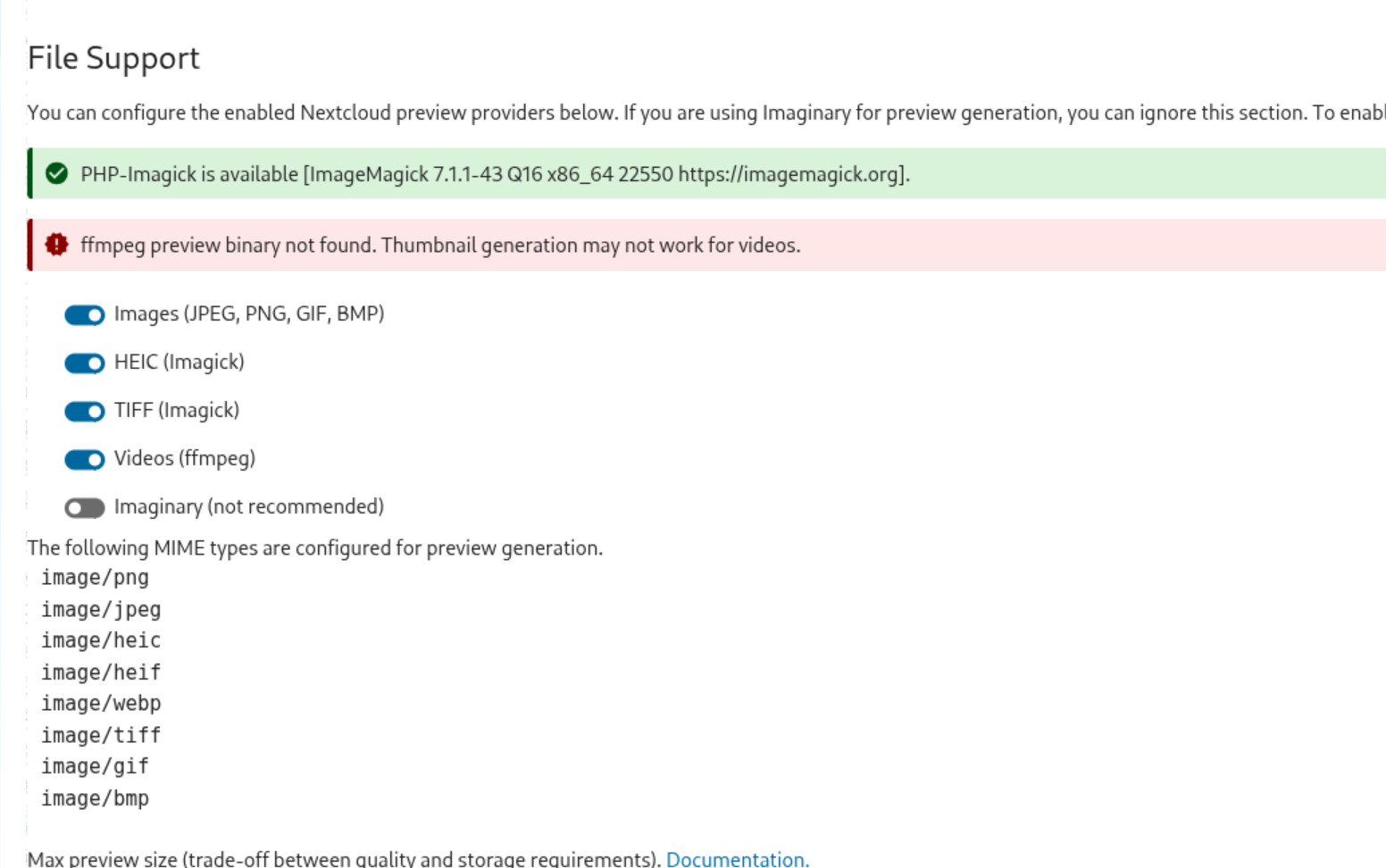
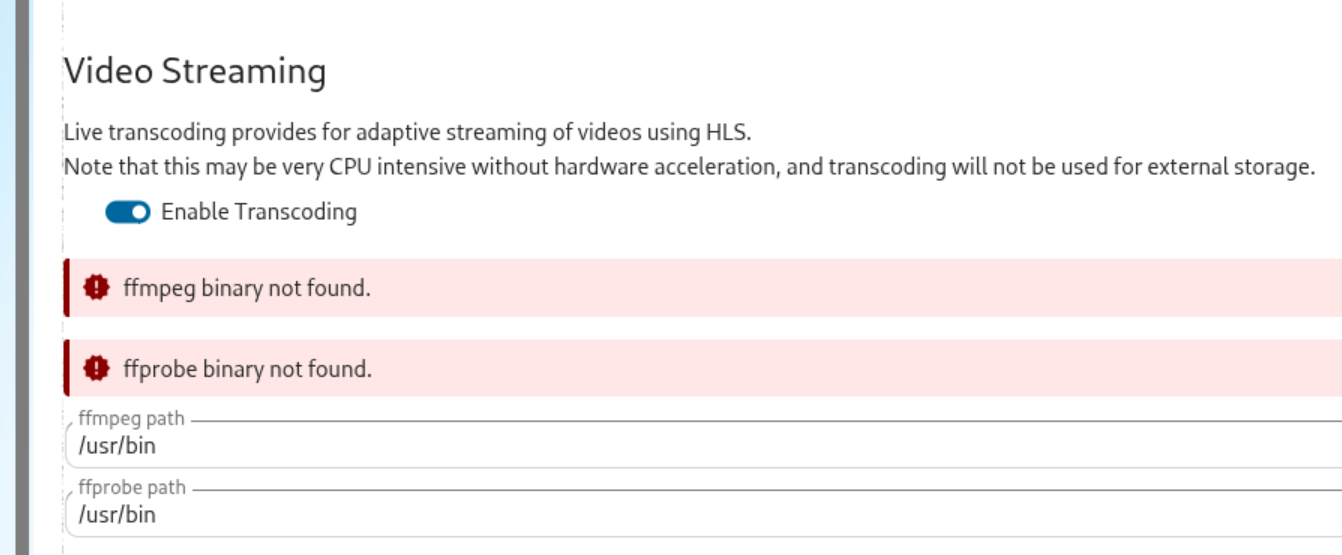
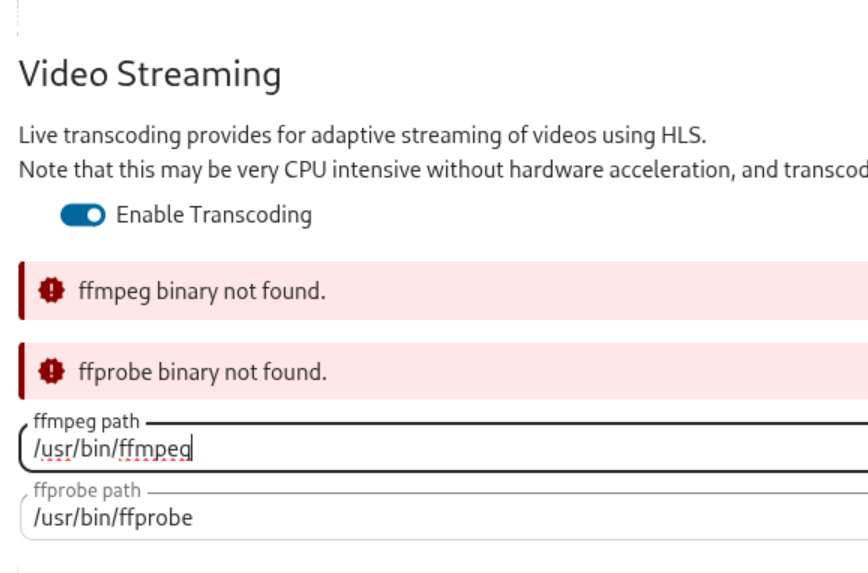
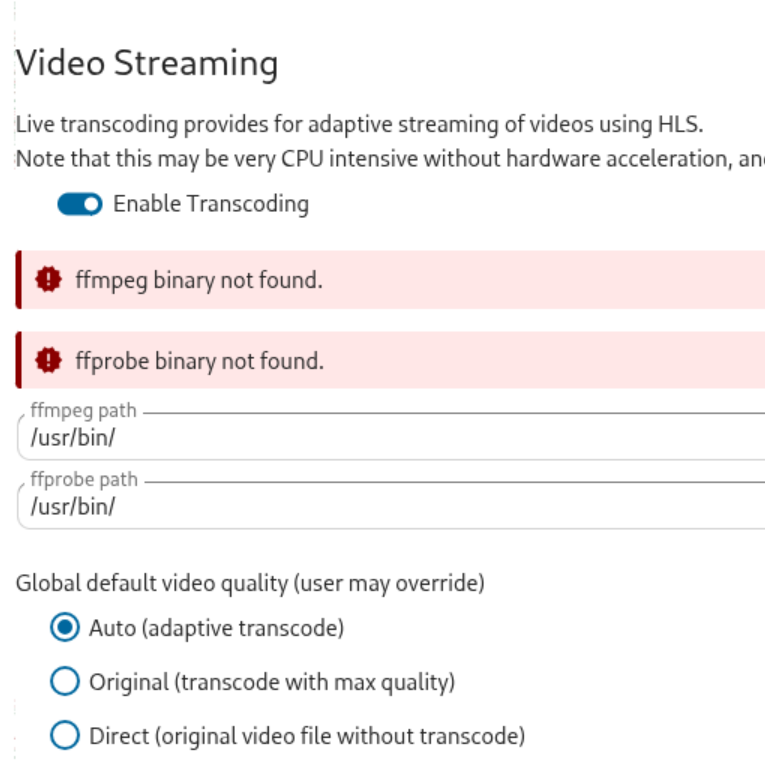
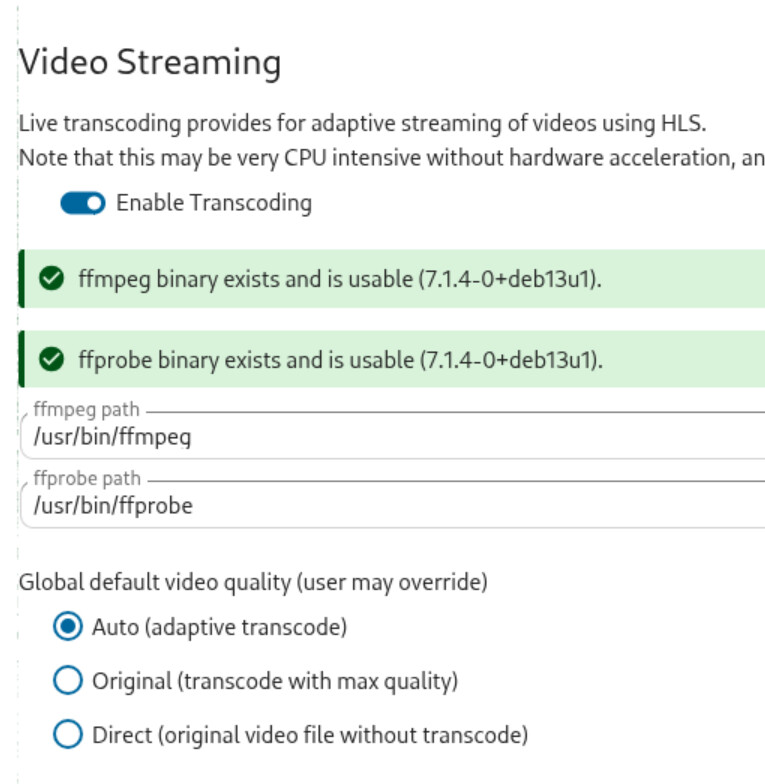
The admin section in nextcloud asks me for the path to find ffmpeg and ffprobe. It says it can’t find them. They are both installed but nothing I put in the path setting in the admin panel seems to work to allow the system to find them. The result is that there are no thumbnails displayed for video files and they can’t be played.
Status
You are running Debian GNU/Linux 13 (trixie) and FreedomBox version 26.8. FreedomBox is up to date.
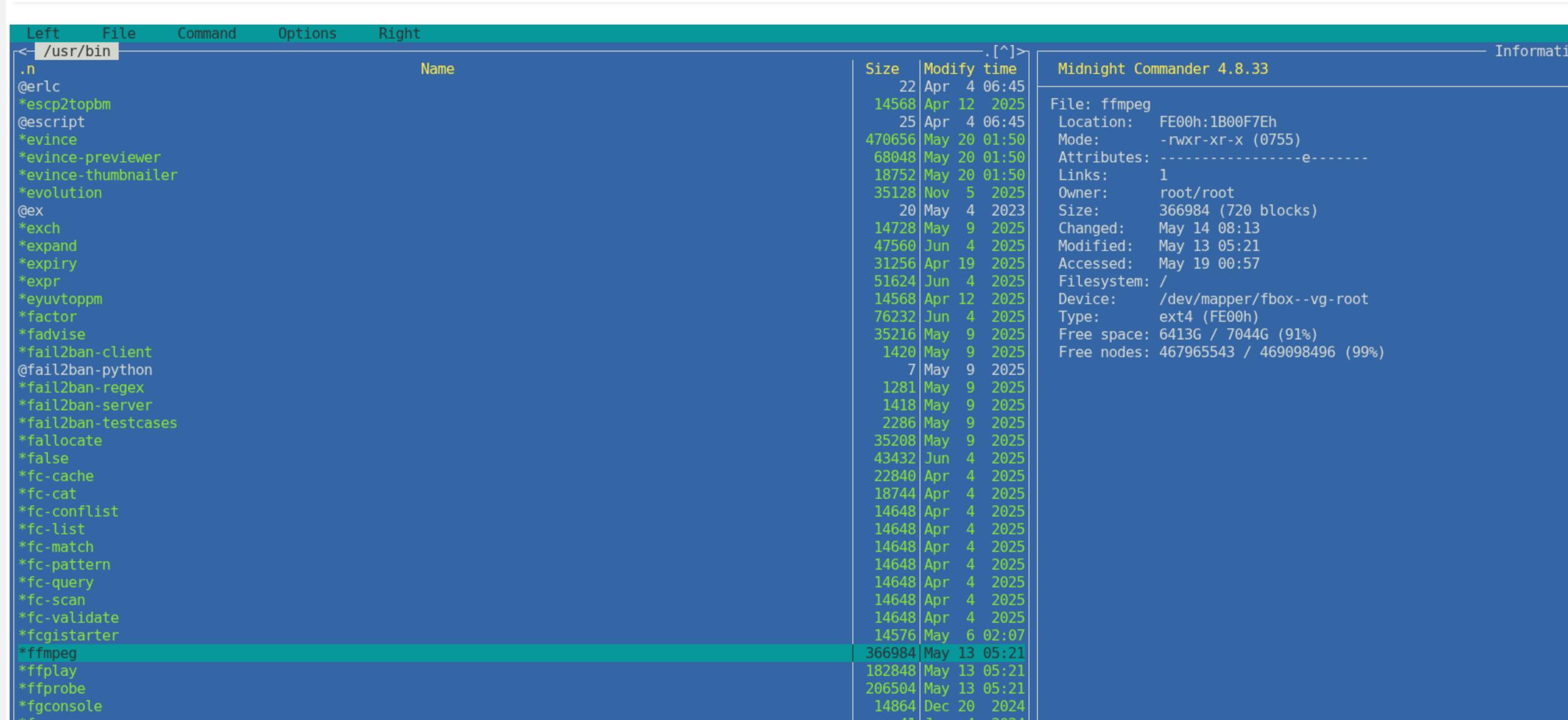
Running Midnight commander as root in a terminal on my freedombox server, I see that there are files /usr/bin/*ffmpeg and /usr/bin/*ffprobe so I changed it to add the asterisk in path field in the admin page in memories. There is no change. My guess is that freedombox is running in a container (docker maybe?) and it needs its own installation of these binaries rather than the ones I have in the base debian system all of which is truly beyong me so I am stuck. Here is what MC shows:
No sign of any solution to this issue so far. I am also not satisfied with how Memories lacks features for management of bringing a large collection of photos into the system, that also seems to have no solution.
I am wondering about Zoph. I would like to try it out again using my same collection. Can it run alongside Memories using the same albums, images, etc so that I can flip from one app to the other? That would be nice.
I’m not running Nextcloud, but I have used Midnight Commander. The * preceding the filename indicates the the file is executable. Most of the files in /usr/bin/ will be. Most will also be owned by user and group root.
When I first read your issue I thought that this was probably a permissions or environment (pathing) issue of Nextcloud, but since I don’t run it, I couldn’t explore.
Have your looked at journalctl logging for the Nextcloud service to see what it reports?
Hi, thanks for that information. I haven’t looked at journalctl logging for Nextcloud. That is unfamiliar territory for me but seems like something I ought to know more about. I will do some digging. My initial attempt says “No entries” so it looks like I need to turn logging on. I will let you know what I can find.
Saw this regarding logging for Nextcloud and today’s mixed “discrete file logging \ central logging service (e.g. journalctl)” and “containerized” app configs:
How did you install Debian? Did you do a standard install on a machine or did you install it as a VM?
How did you install Freedombox? Did you use apt or 'Aptitude on the Debian machine or did you download one of the pre-built images from https://freedombox.org/download/
There are “container images” of Freedombox that can be installed, but unless you installed one of the Qemu or VirtualBox images, then you wouldn’t be dealing with “Freedombox running in a container”.
Nextcloud runs in a container. Since I’m not running it I can’t comment on how or if it accesses\shares system-wide components like /usr/bin/ff*. Typically, containerization tries to bundle in all app dependencies so that specific versions of dependencies are available and accessed by the app.
So that ffmpeg path in the Video Streaming page may need to point to a file path within Nextcloud’s container? And then the files would need to exist in that path.
Sorry for posting multiple times on this issue. Btw, I see your OP had answered my question on how you installed debian and fbx. You also mention that your machine has some significant resources… i.e. beyond the memory\storage constraints of most SBCs. You also are at least a little familiar with terminal\command-line usage since you were prowling around in Midnight Commander.
One tool I use all the time is locate <filename>. It’s installation package name is actually plocate, and it can be installed with: sudo apt install plocate
It creates a fast index of all the files on the disk. It automatically updates this index once a day I think. And a manual update can be triggered at anytime with: sudo updatedb.
You can search for paths\filenames, partial or whole and it returns all paths\filenames found matching that string.
With an issue like this, it would be nice to know where all the ffmpeg & ffprobe are and where.
This could be done with a standard utility like find, but for me I can never remember the proper syntax for find, so I use locate. Sometimes it’ll return many pages of matches, so I’ll pipe its’ output thru a pager like more or less: sudo locate <some-string> | more.
more, which only pages down thru results a page at a time, is installed on debian by default, but less, which can go up and down thru results line-by-line using the arrow keys on the keyboard is not installed by default. It can be installed with: sudo apt install less, then one can: sudo locate <some-string> | less
Note, I preface locate with sudo because I think it may need to run as root to return all entries from the disk. I could be wrong about this.
I use these tools all the time in troubleshooting at the command-line.
Thanks, yes, I do blunder around using the CLI from time to time although usually on a cut and paste basis. I have done it long enough that I remember setting irq numbers to get a mouse running for a new fangled gui, being sceptical about the usefulness of a colour monitor and the linux kernel reaching v 1.0 but I do it seldom enough that when I want do do anything at the command line, I have to relearn the bits and pieces I have learned in the past. Years of using mostly windows during my working years stunted a lot of that.
About containers: I made it sound like freedombox is running in a container which isn’t the case as I understand it. It runs as a debian package on a dedicated headless pc I have it running connected on my home wired lan. It is nextcloud that runs in a container I believe because it is a non-Debian package. ffmpeg and ffprobe do exist on the server in /usr/bin/ but my hunch is that to be available to nextcloud running in a container they need to be installed in that container or linked into it somehow. At least that is my impression . . . . I am speaking far beyond my pay grade here.
Using the terminal the cockpit provides on my server, I installed the plocate package. I ran updatedb and then got what is shown below.
I tried changing the settings for Memories in Nextcloud to /usr/share/ as the location for ffmpeg and ffprobe but that doesn’t seem to have helped.
Thanks for getting me going with plocate. Still digging . . .
So it appears there are two ffmpeg binaries on the system. /usr/bin/ffmpeg & /var/lib/nextcloud/custom_apps/recognize/node_modules/ffmpeg-static/ffmpeg
Obviously the second one would be expected to be part of nextcloud.
You could ls -l /var/lib/nextcloud/custom_apps/recognize/node_modules/ffmpeg-static/ffmpeg to verify that the file has some size and is not a zero byte file.
I googled what is /var/lib/nextcloud/custom_apps/recognize/node_modules/ffmpeg-static/ffmpeg, and the AI response was informative. There are a number of issues reported for it that sound similar to what you describe. You might try copying that <path\filename> into the ffmpeg path to see if it nextcloud “finds” it, but something in the nextcloud runtime environment is not correct. I suspect logging would reveal some useful complaints about something, but, since I’m not running nextcloud, I can’t guide you to how get to the nextcloud logging on your freedombox install - it’s either via journalctl or in static files, but I don’t know which.
In the ggl results,two “applets?” within nextcloud mention dependencies on ffmpeg: Memories which you’ve mentioned and Recognize which is in the filepath we see for the ffmpeg installed by nextcloud. So I think this is likely a known issue, which means it likely has a resolution. The bad news is I don’t have a clue about what the resolution is. I wouldn’t 100% rule out an issue within Freedombox installation of Nextcloud, but the ggl query results point to the nextcloud runtime environment.
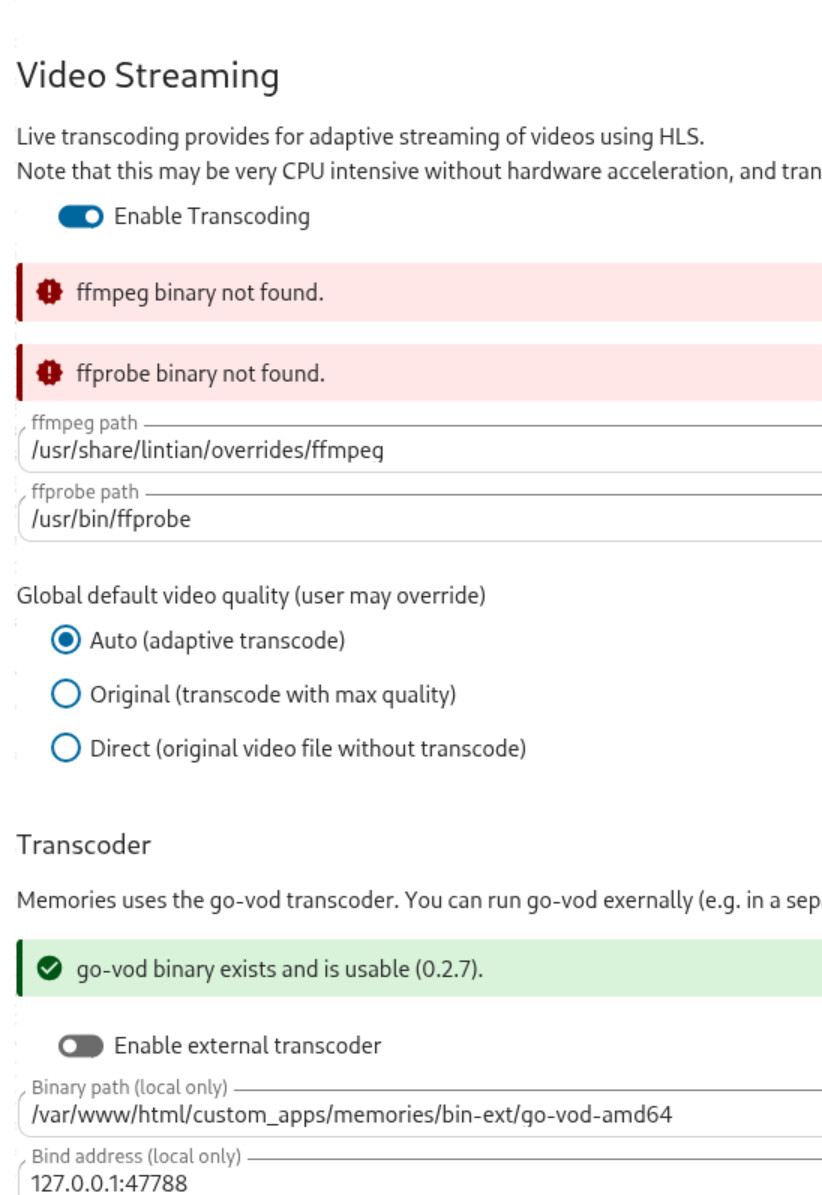
Adding this as the path to ffmeg in the Memories config screen didn’t fix it.
BTW, it is only recently that I installed the Recognize app and it does seem to be working. It is a separate nextcloud app that runs within the Memories photo app.
The ffmpeg problem that thumbnails of videos do not display and videos don’t stream existed before I installed recognition and has not changed with that installation.
Thanks for your help with this. Hopefully someone who runs nextcloud will come across this and let me know if they know of a solution.
One last obvious test would be to toggle the Videos(ffmpeg) switch off, and then back on? The list of mime types configured for preview generation doesn’t include any video formats… and ffmpeg supports many most video formats.
Since you just recently installed Recognize, and presumably it installed its’ ffmpeg dependency maybe there’s supposed to be a “/var/lib/nextcloud/custom_apps/memories/node_modules/ffmpeg-static/ffmpeg” ?
The static ffmpeg you have in the /recognize path is pretty hefty at around 77MB. The one from /usr/bin/ on my machine is more like 370KB. But such is the way with static builds and container packaging… it’s not a “space saving\efficiency” platform, it’s a “make-sure-it-runs-consistently” platform (…except when it doesn’t) ;-^
sudo locate -r /ffmpeg$ would list all the paths ending in /ffmpeg.
Maybe someone on this forum who is successfully running “Memories” could report what copies of ffmpeg are on their system? Hopefully you’ll get a more useful response here, or there.
I have tried turning ffmpeg off, logging out and back in, then reversing that to no avail. Situation unchanged. I have also used plinth to shut down nextcloud and then turn it on again. Same result.
Perhaps the multi-line copy-paste didn’t get through your terminal emulator or shell, so instead of using cat to create the drop-in file, you can also just create a new file with your favorite editor like nano /etc/containers/systemd/nextcloud-freedombox.container.d/10-install-ffmpeg.conf