Context
Debian Trixie 13.1
FreedomBox 25.10
Problems installing Miniflux: “database does not exist”
Problem
I’ve tried to install Miniflux from the “Apps” section on Plinth, but the service failed to install correctly, showing this error:
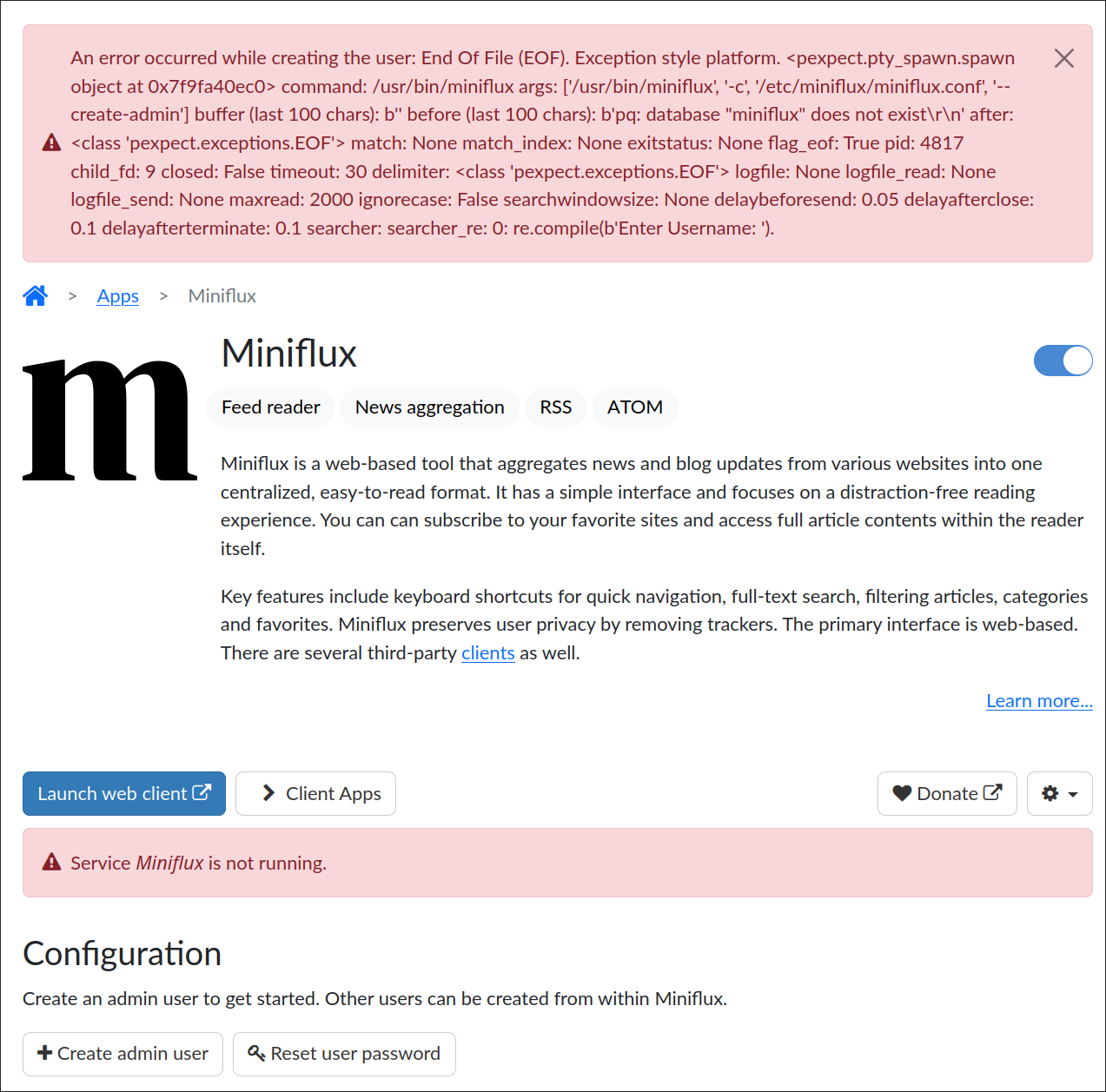
Most notably: “pg: database ‘miniflux’ does not exist”
This is similar, but different from this related thread:
Solution
I logged in via SSH and tried reinstalling the package manually:
sudo apt install --reinstall miniflux
This also failed with a similar error:
Preparing to unpack .../miniflux_2.2.6-1+b4_arm64.deb ...
Unpacking miniflux (2.2.6-1+b4) over (2.2.6-1+b4) ...
Setting up miniflux (2.2.6-1+b4) ...
dbconfig-common: writing config to /etc/dbconfig-common/miniflux.conf
dbconfig-common: flushing administrative password
usermod: no changes
pq: database "miniflux" does not exist
pq: database "miniflux" does not exist
...
So I checked the official instructions, and there’s an example how to set up the DB for miniflux:
I switched to the (existing) postgres user and tried to create the DB following the instructions, but I got an issue with collation version mismatches:
postgres@fbox:~$ psql
WARNING:  database "postgres" has a collation version mismatch
DETAIL:  The database was created using collation version 2.36, but the operating system provides version 2.41.
HINT:  Rebuild all objects in this database that use the default collation and run ALTER DATABASE postgres REFRESH COLLATION VERSION, or build PostgreSQL with the right library version.
So I migrated the version as indicated:
postgres@fbox:~$ psql
psql (17.6 (Debian 17.6-0+deb13u1), server 15.14 (Debian 15.14-0+deb12u1))
Type "help" for help.

postgres=# ALTER DATABASE postgres REFRESH COLLATION VERSION;
NOTICE:  changing version from 2.36 to 2.41
ALTER DATABASE
I assume that this is an artifact from the trixie upgrade I made recently, which also migrated postgres to v17.
Afterwards I was able to create the DB as originally intended:
postgres@fbox:~$ createdb -O miniflux miniflux
postgres@fbox:~$ psql miniflux -c 'create extension hstore'
CREATE EXTENSION
This, finally, allowed me to reinstall the package and not run into the error again:
Preparing to unpack .../miniflux_2.2.6-1+b4_arm64.deb ...
Unpacking miniflux (2.2.6-1+b4) over (2.2.6-1+b4) ...
Setting up miniflux (2.2.6-1+b4) ...
dbconfig-common: writing config to /etc/dbconfig-common/miniflux.conf
dbconfig-common: flushing administrative password
usermod: no changes
level=INFO msg="Running database migrations" current_version=0 latest_version=104 driver=postgresql
this is not an interactive terminal, exiting
Processing triggers for man-db (2.13.1-1) ...
Scanning processes...
Scanning processor microcode...
Scanning linux images...
Afterwards the service is up and running fine and I could use the app page on Plinth to create an admin user that is able to log in and use the application.
I hope this helps other people that may run into the same issue. Happy RSS reading! <3