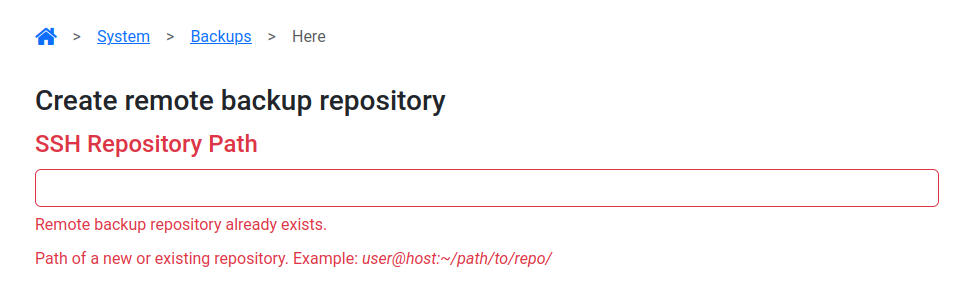
I have a backup to a remote location setup for a long time, I haven’t changed anything in its configuration but now, backup fails.
The previous backups are not visible anymore and when I try mounting the location, I have the following error message:
Error establishing connection to server: Command '['sshpass', '-e', 'ssh-copy-id', '-i', '/var/lib/plinth/.ssh/id_ed25519.pub', 'sftp-metani-eu@192.168.48.218']' returned non-zero exit status 1. /usr/bin/ssh-copy-id: INFO: Source of key(s) to be installed: "/var/lib/plinth/.ssh/id_ed25519.pub" /usr/bin/ssh-copy-id: INFO: attempting to log in with the new key(s), to filter out any that are already installed /usr/bin/ssh-copy-id: ERROR: /bin/bash: No such file or directory
The backup was setup with a password, not using public key as it wasn’t supported. I have seen that this has been added to backup in 26.4. I am not sure, but it may be so that the backup started failing after upgrading to 26.4. I tried adding the public key indicated in the error message to authorized_keys of the user on the remote backup location, but it does not change anything.
Does that mean I need to re-add the backup location?
In my past experience, adding an existing backup location did not work (cannot remember the exact error), I had to make a fresh new location, so it may be the same here.
Recently we improved the way we login to remote locations. Instead of storing the password of the remote machine all the time, we simply use it once to setup key-based authentication and then stop discard the password provided by the user. This also applies to older backups (setup will be automatically migrated). This is the part that seems to be failing.
I don’t yet understand the reason for failure. I will check the code. Meanwhile, please try re-adding the backup location. This operation is safe (does not remove any data). This will likely fix the issue.
I remember already trying that when I had restored freedombox in the past, and I had to create an empty repository as it wasn’t accepting to use an existing one.
You will need to remove the old backup location before adding it again. Your data on the remote server will not be removed and kept as is during this operation.