Hello All,
I have installed Debian 13 as a VPS at contabo. I used ssh to configure the VPS and to run the commands shown below to install freedombox :
apt-get update
DEBIAN_FRONTEND=noninteractive apt-get install freedombox
Note :
I use the command top from another ssh login to watch the progress of fbx install. Once I see the cpu usage is down I know that fbx as set it self up and the front page will be up and ready to start the setup of fbx first account.
There is No interfaces file in /etc/network to edit on this debian 13 install at contabo.
Setting up the first user account:
After this user as been setup I go to fbx Network page to set the firewall for external.
Here is a screenshot of that first Network page:
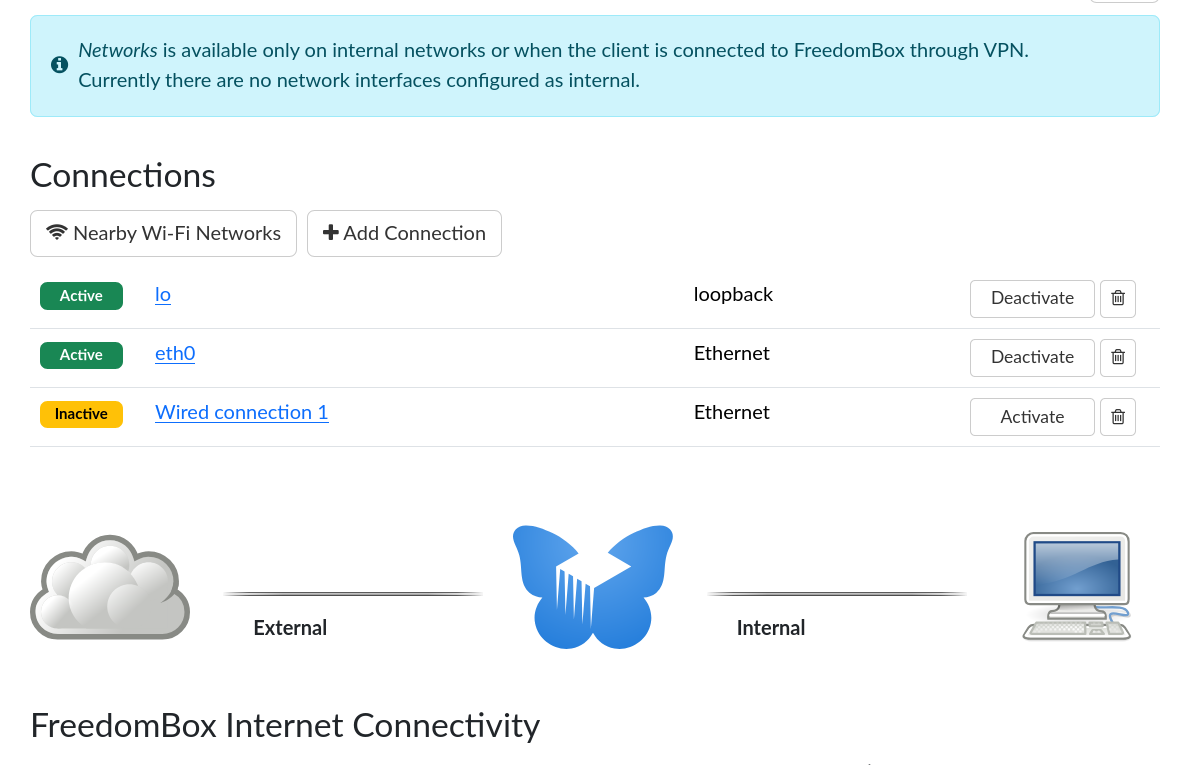
I configured the network setup as shown in the below screenshot:
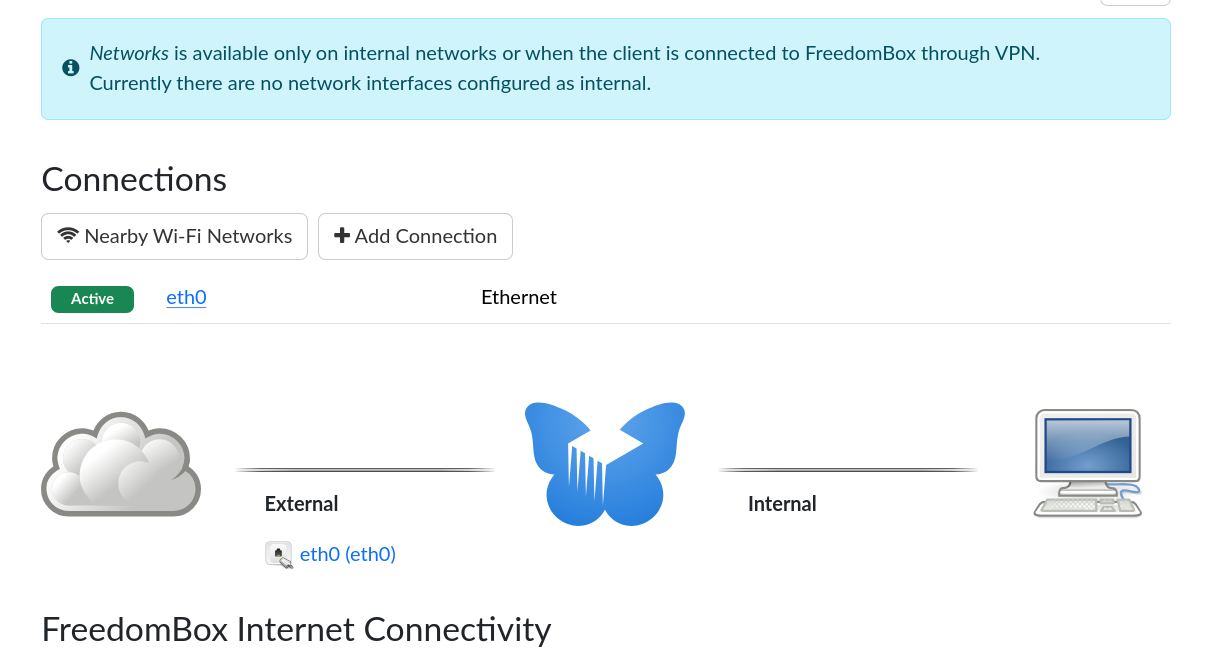
It looks a perfect network setup.
Reboot boot and login and have a look at the Network page - shown below in the screenshot:
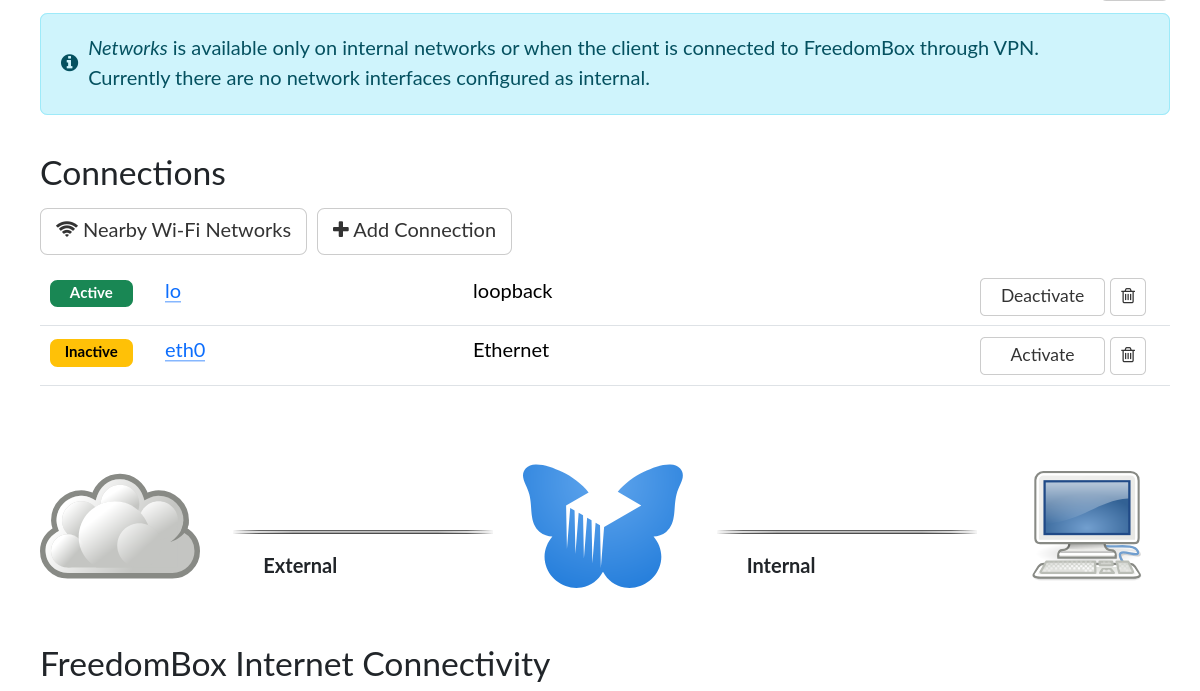
The previous network setup has gone.
Note :
NetworkManager will not let go of lo
eth0 needs to be Activate
lo need to be Deactivate.
My answer is two tweaks. Add a config file to NetworkManager to stop the device lo being took over by NetworkManager for primary device. So eth0 can be the primary device.
Second, add a bash script to Activate eth0 with the command nmcli con up eth0 At boot. - located at /etc/rc.local
NetworkManager configuration:
Edit the file:
sudo nano /etc/NetworkManager/conf.d/unmanaged.conf
Add the lines below:
[keyfile]
unmanaged-devices=interface-name:lo
Below may be wrong but it works for now ?
Add a rc.local file for the bash command:
sudo nano /etc/rc.local
Add the lines below:
#!/bin/bash
/usr/bin/nmcli con up eth0
exit 0
Set the file rc.local to executable
sudo chmod +x /etc/rc.local
On the Networks page I set:
FreedomBox Internet Connectivity
To: Directly connected to the Internet
And
Your Internet Connection Type
To: I have a public IP address that does not change over time (recommended)
Now the tweaks are done, its a reboot.
Screenshot below:
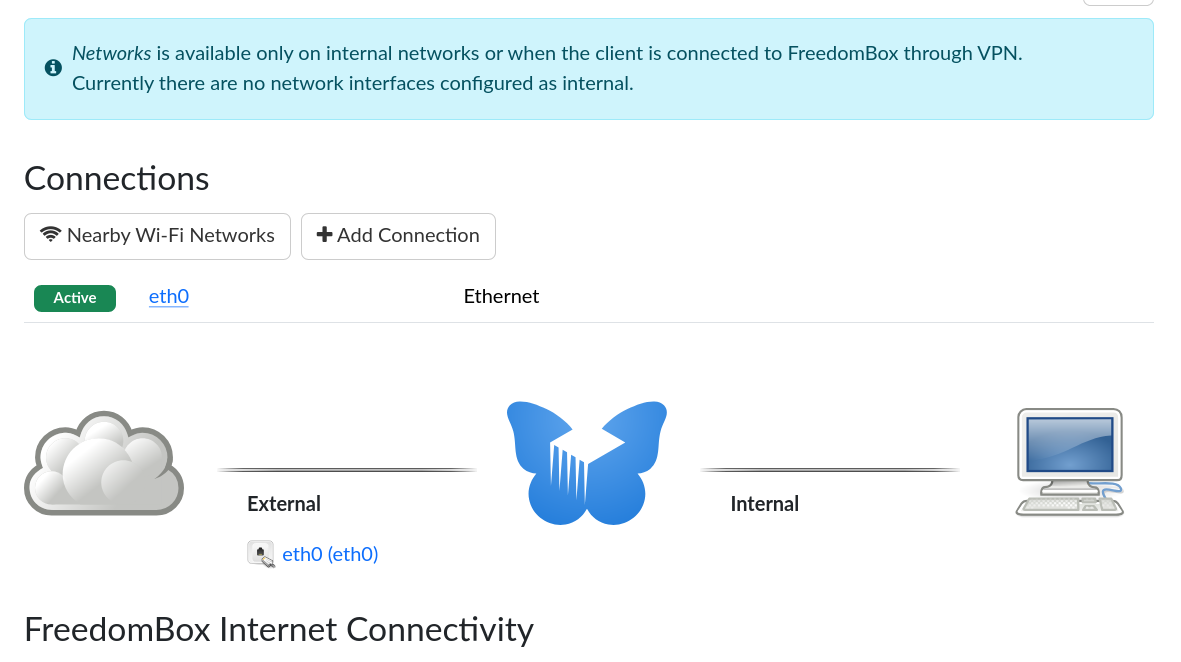
It is now back to the correct network setup. !!
Regards to all: peter
Hope the above can be useful, below is a bit more info about NetworkManager and the VPS.
Screenshot of the connection info shown below:
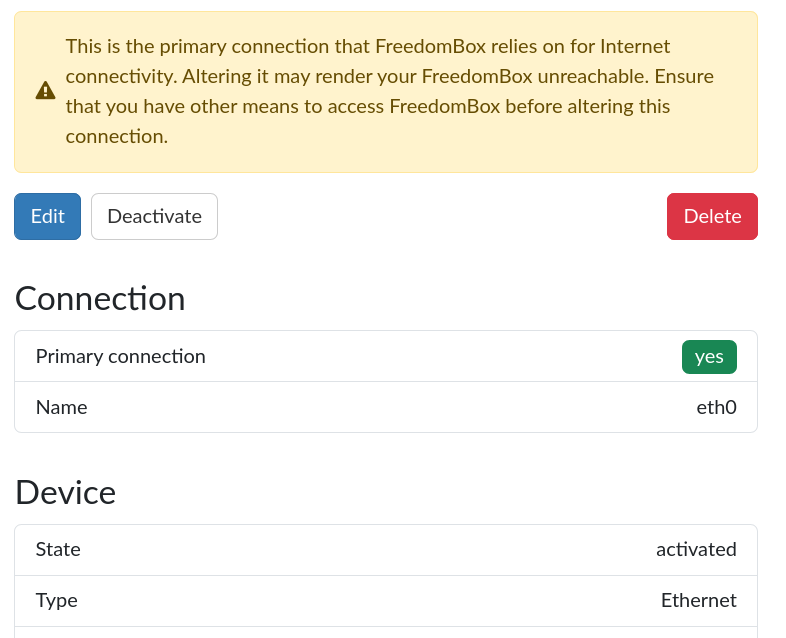
Before the tweaks:
admin@Test-setup:~$ nmcli connection show
NAME  UUID                                  TYPE      DEVICE
lo    b477c81b-38a0-4931-b101-29a785129b4e  loopback  lo
eth0  216c413c-23d1-4929-a62b-004ab2938cf7  ethernet  --
After the tweaks:
admin@Test-setup:~$ nmcli connection show
NAME  UUID                                  TYPE      DEVICE
eth0  216c413c-23d1-4929-a62b-004ab2938cf7  ethernet  eth0
uname -a

6.12.57+deb13-cloud-amd64 #1 SMP PREEMPT_DYNAMIC Debian 6.12.57-1 (2025-11-05) x86_64 GNU/Linux