Hi all! I’m having some trouble with the dynamic DNS update using gnudip. Problem Description
freedombox does not update the external IP.
Steps to Reproduce
get a gnuDIP access.
set this to “site is offline” (0.0.0.0).
Updating the site to an external IP stops working in freedombox.
Expected Results
I expect the gnuDIP server to be updated, so my DNS entry points to my freedombox.
Actual results
(I get an error with the following message:)
23:10:06 ## /usr/bin/plinth[5436]: Unable to lookup DNS for host #freedomboxname here# Command ‘[‘host’, ‘-t’, ‘A’, ‘#freedomboxname here#’]’ returned non-zero exit status 1.
Nov 06 23:10:06 ### /usr/bin/plinth[5436]: Updating dynamic domain ###, DNS address None, looked up external address (proper external ipV4 here)
Information
FreedomBox version: 25.14
Hardware: Olimex OlinuXino Lime2
How did you install FreedomBox?:‘apt install freedombox’ back in 2015, updated ever since.
Hi Sunil, thanks for looking into this issue.
Regarding your question, there is no further log entry after the one i already mentioned.
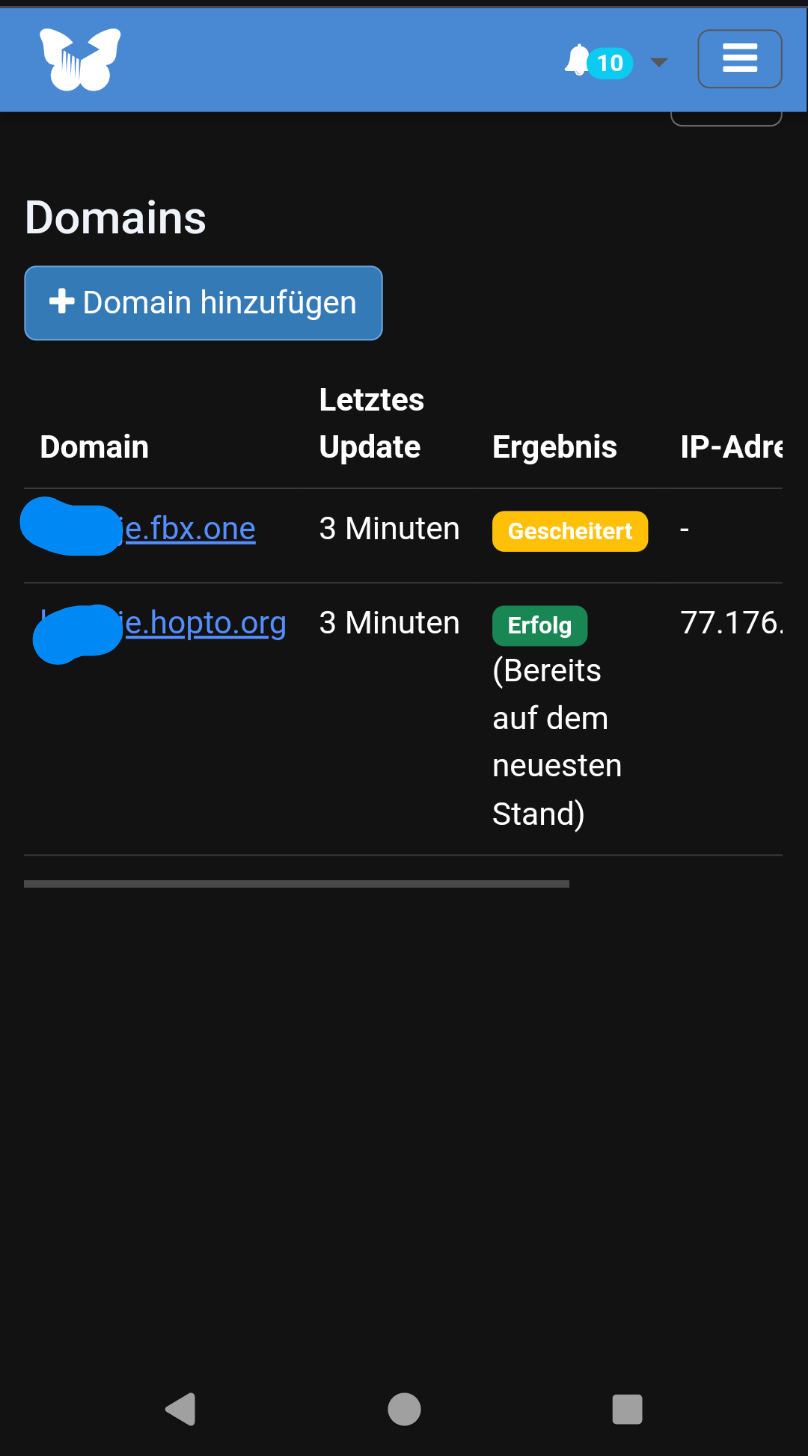
The UI shows a yellow “failed” in the column “Result”.
Good to hear. Which GNUdip service do you use? I’m using ddns.freedombox.org today, but I migrated after the old one I used stopped working. If this is the issue I did make a post on migrating GNUdip service - happily this was not difficult. You can try this if you are not using ddns.freedombox.org.
I’ve got exactly the same problem. The GnuDIP script fails to update to the current IP on ddns.freedombox.org, although it looks up the right one. The UI says “failed”, too. Can’t figure out why, it stopped working about two months ago. Maybe it’s due to the debian trixie upgrade?
(Another setup which I run on bullseye is doing well on the other hand.)
The Alternative No-IP service (hopto.org) is also up and running.
I believe this could be due to some very small number of FreedomBox machines trying to connecting to ddns.freedombox.org using IPv6. When doing so, the server will know only the IPv6 address of the FreedomBox machine. However, there is no support updating the AAAA record in GnuDIP and hence the failure. I will try to fix this
In FreedomBox, I will force IPv4 connection for now and later.
On the server and FreedomBox, I will implement full and proper support for IPv6.
@Tobi@diot-heri could you please try the following work around: add the following line in /etc/hosts file?
139.162.191.93 ddns.freedombox.org
Please remove this line when FreedomBox has a fix for the problem.
I posted a patch to force IPv4 until proper IPv6 is implemented on the server and the client. This patch will be available in about 2 weeks. Until then, the posted workaround is recommended.