# Update not working
**URL:** https://discuss.freedombox.org/t/update-not-working/1806
**Category:** Support
**Created:** [November 7, 2021, 6:08pm UTC](https://discuss.freedombox.org/t/update-not-working/1806 "2021-11-07T18:08:17Z")
**Posts on this page:** 13
**Page:** 1
### Author:  [@Phil](https://discuss.freedombox.org/u/Phil)
#### Post date: [November 7, 2021, 6:08pm UTC](https://discuss.freedombox.org/t/update-not-working/1806/1 "2021-11-07T18:08:17Z")
New Freedombox
Got an error when trying to install ejabbered (see previous post)
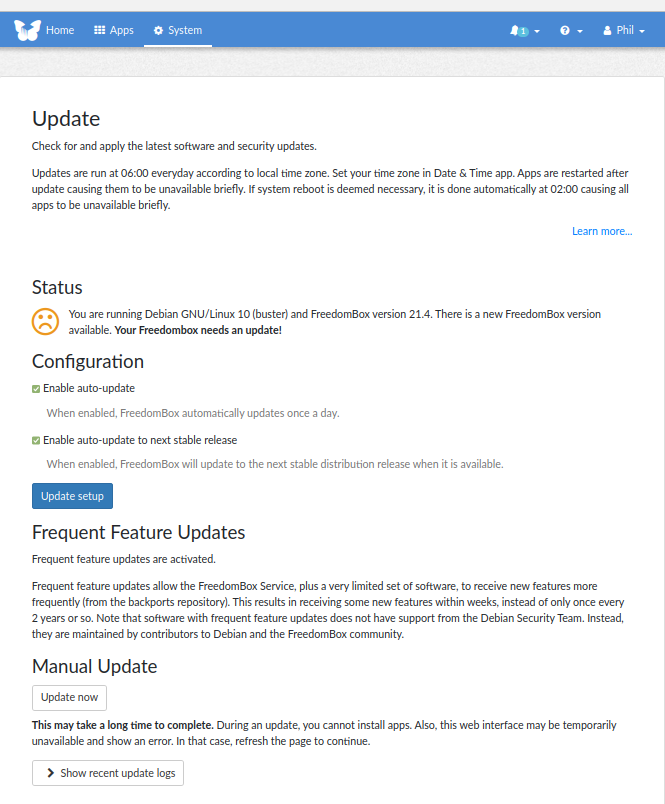
Went to get the screenshot of the about box as requested and I noticed it said my FreedomBox needed an update. I tried the autoupdate and nothing happened. So I tried the manual update and it churned away for a while, but in the end came back with the same screen saying my FreedomBox was not up to date
---
### Author:  [@BluishHumility](https://discuss.freedombox.org/u/BluishHumility)
#### Post date: [November 7, 2021, 11:00pm UTC](https://discuss.freedombox.org/t/update-not-working/1806/2 "2021-11-07T23:00:54Z")
Hi Phil, it looks like your box is still on Debian Buster and you can take the upgrade to Bullseye. I’m not sure if there is a way to do it besides in the terminal, but it’s fairly straightforward:
sudo apt update && sudo apt upgrade - y
After that finishes:
sudo apt full-upgrade
To remove any packages no longer needed after the upgrade:
sudo apt autoremove --purge
From there I would reboot and try again with the stuff you were trying to set up.
---
### Author:  [@Peterc](https://discuss.freedombox.org/u/Peterc)
#### Post date: [November 8, 2021, 2:19pm UTC](https://discuss.freedombox.org/t/update-not-working/1806/3 "2021-11-08T14:19:13Z")
Hello @Phil
It would be best to let Freedombox to do the upgrade.
Go to the ‘System’ tab in your Freedombox, and open the ‘Update’ tab and ‘Enable auto-update’ and ‘Enable auto-update to next stable release’, then ‘Update setup’.
Or: [https://freedombox.local/plinth/sys/upgrades/](https://freedombox.local/plinth/sys/upgrades/)
It may take a day or two, too upgrade your Freedombox.
Regards: peter
---
### Author:  [@Phil](https://discuss.freedombox.org/u/Phil)
#### Post date: [November 9, 2021, 3:27pm UTC](https://discuss.freedombox.org/t/update-not-working/1806/4 "2021-11-09T15:27:52Z")
Ok I have FreedomBox up to the current release I believe running on Debian Bullseye
But when I try and install ejabberd I still get the following error - same as before:

Thanks in advance for your help
---
### Author:  [@Phil](https://discuss.freedombox.org/u/Phil)
#### Post date: [November 9, 2021, 3:31pm UTC](https://discuss.freedombox.org/t/update-not-working/1806/5 "2021-11-09T15:31:27Z")
Here is a screen grab showing the version I am running

---
### Author:  [@Phil](https://discuss.freedombox.org/u/Phil)
#### Post date: [November 9, 2021, 3:34pm UTC](https://discuss.freedombox.org/t/update-not-working/1806/6 "2021-11-09T15:34:05Z")
I get the same error if I try and install Coturn
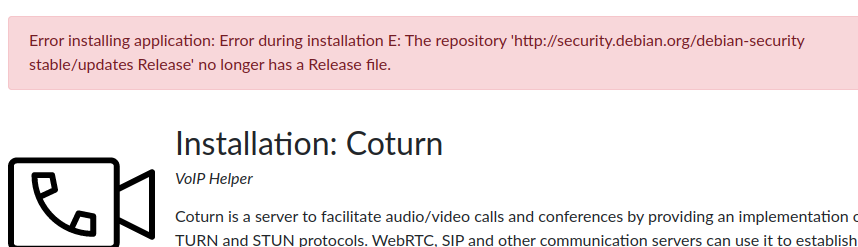
These are the only 2 apps I have tried to install - so assume it is the same for the rest of the apps as well.
Phil
---
### Author:  [@Phil](https://discuss.freedombox.org/u/Phil)
#### Post date: [November 9, 2021, 3:38pm UTC](https://discuss.freedombox.org/t/update-not-working/1806/7 "2021-11-09T15:38:01Z")
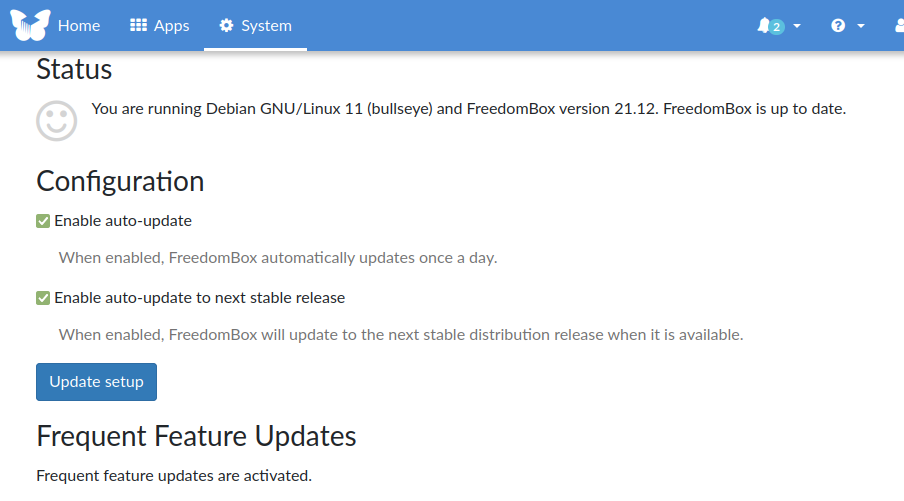
Auto update is enabled
---
### Author:  [@lifeform](https://discuss.freedombox.org/u/lifeform)
#### Post date: [November 9, 2021, 4:10pm UTC](https://discuss.freedombox.org/t/update-not-working/1806/8 "2021-11-09T16:10:11Z")
Take a look at [this post](https://discuss.freedombox.org/t/error-installing-apps-after-fresh-install-of-freedombox/1671) to see if it applies. It mentions the same message following upgrade from buster. The key point is:
```auto
Upon closer look, it seems that the content of /etc/apt/sources.list is no longer valid. stable/updates should read stable-security. So, where it reads:
deb http://security.debian.org/debian-security/ stable/updates main
deb-src http://security.debian.org/debian-security/ stable/updates main
it needs to be changed to:
deb http://security.debian.org/debian-security/ stable-security main
deb-src http://security.debian.org/debian-security/ stable-security main
```
---
### Author:  [@Phil](https://discuss.freedombox.org/u/Phil)
#### Post date: [November 10, 2021, 4:59pm UTC](https://discuss.freedombox.org/t/update-not-working/1806/9 "2021-11-10T16:59:19Z")
Progress. For any other non-techies following a long, I found this article helpful in working out how to edit the file [https://www.howtogeek.com/102468/a-beginners-guide-to-editing-text-files-with-vi/](https://www.howtogeek.com/102468/a-beginners-guide-to-editing-text-files-with-vi/)
So I can now install ejabberd and coturn.
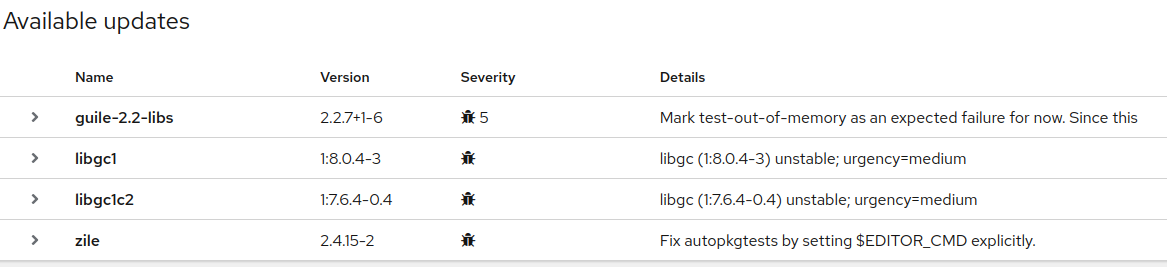
But I still get these messages in the software update part of cockpit:
---
### Author:  [@Phil](https://discuss.freedombox.org/u/Phil)
#### Post date: [November 10, 2021, 5:00pm UTC](https://discuss.freedombox.org/t/update-not-working/1806/10 "2021-11-10T17:00:49Z")
and when I click the install all button I get:
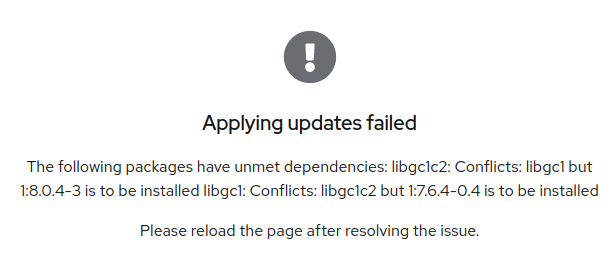
What should I do?
---
### Author:  [@Phil](https://discuss.freedombox.org/u/Phil)
#### Post date: [November 10, 2021, 5:02pm UTC](https://discuss.freedombox.org/t/update-not-working/1806/11 "2021-11-10T17:02:46Z")
Also Cockpit says Automatic Updates are not turned on
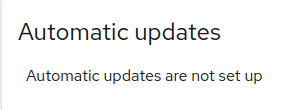
Should they be (they show as turned on in the FreedomBox interface) and if so how do I turn them on?
---
### Author:  [@lifeform](https://discuss.freedombox.org/u/lifeform)
#### Post date: [November 10, 2021, 7:03pm UTC](https://discuss.freedombox.org/t/update-not-working/1806/12 "2021-11-10T19:03:35Z")
Regarding packages held back during upgrade to bullseye, see [this thread](https://discuss.freedombox.org/t/upgrade-to-bullseye/1664/16) and [Issue 2103](https://salsa.debian.org/freedombox-team/freedombox/-/issues/2103). You generally don’t need Cockpit to manage updates. The Cockpit message is a red herring. I had several packages held back, but after a couple of days of automatic updates, I was left with just one package that I ultimately had to handle manually. As mentioned in the thread, you can use “apt -s install packageX” to see what will happen if you manually update a package. I looked at the package dependencies and found that I had to remove libgc1c2 to get libgc1 installed:
god@freedombox:~$ sudo apt-get remove libgc1c2
[sudo] password for god:
Reading package lists… Done
Building dependency tree… Done
Reading state information… Done
The following package was automatically installed and is no longer required:
libreadline7
Use ‘sudo apt autoremove’ to remove it.
The following additional packages will be installed:
guile-2.2-libs libgc1
The following packages will be REMOVED:
libgc1c2
The following NEW packages will be installed:
libgc1
The following packages will be upgraded:
guile-2.2-libs
1 upgraded, 1 newly installed, 1 to remove and 0 not upgraded.
Need to get 5160 kB of archives.
After this operation, 39.9 kB of additional disk space will be used.
---
### Author:  [@Phil](https://discuss.freedombox.org/u/Phil)
#### Post date: [November 10, 2021, 8:16pm UTC](https://discuss.freedombox.org/t/update-not-working/1806/13 "2021-11-10T20:16:19Z")
You are a champion. That fixed it.
Thanks very much.
Do you know when they are going to update the image that they ship with the Pioneer so new users will not have these problems?