# Adding Dokuwiki app using the Debian package
**URL:** https://discuss.freedombox.org/t/adding-dokuwiki-app-using-the-debian-package/2962
**Category:** Development
**Created:** [February 24, 2024, 7:32am UTC](https://discuss.freedombox.org/t/adding-dokuwiki-app-using-the-debian-package/2962 "2024-02-24T07:32:54Z")
**Posts on this page:** 2
**Page:** 1
### Author:  [@njoseph](https://discuss.freedombox.org/u/njoseph)
#### Post date: [February 24, 2024, 7:32am UTC](https://discuss.freedombox.org/t/adding-dokuwiki-app-using-the-debian-package/2962/1 "2024-02-24T07:32:54Z")
I tried setting up DokuWiki app from the Debian package. I expected it to be as simple as the Shaarli app.
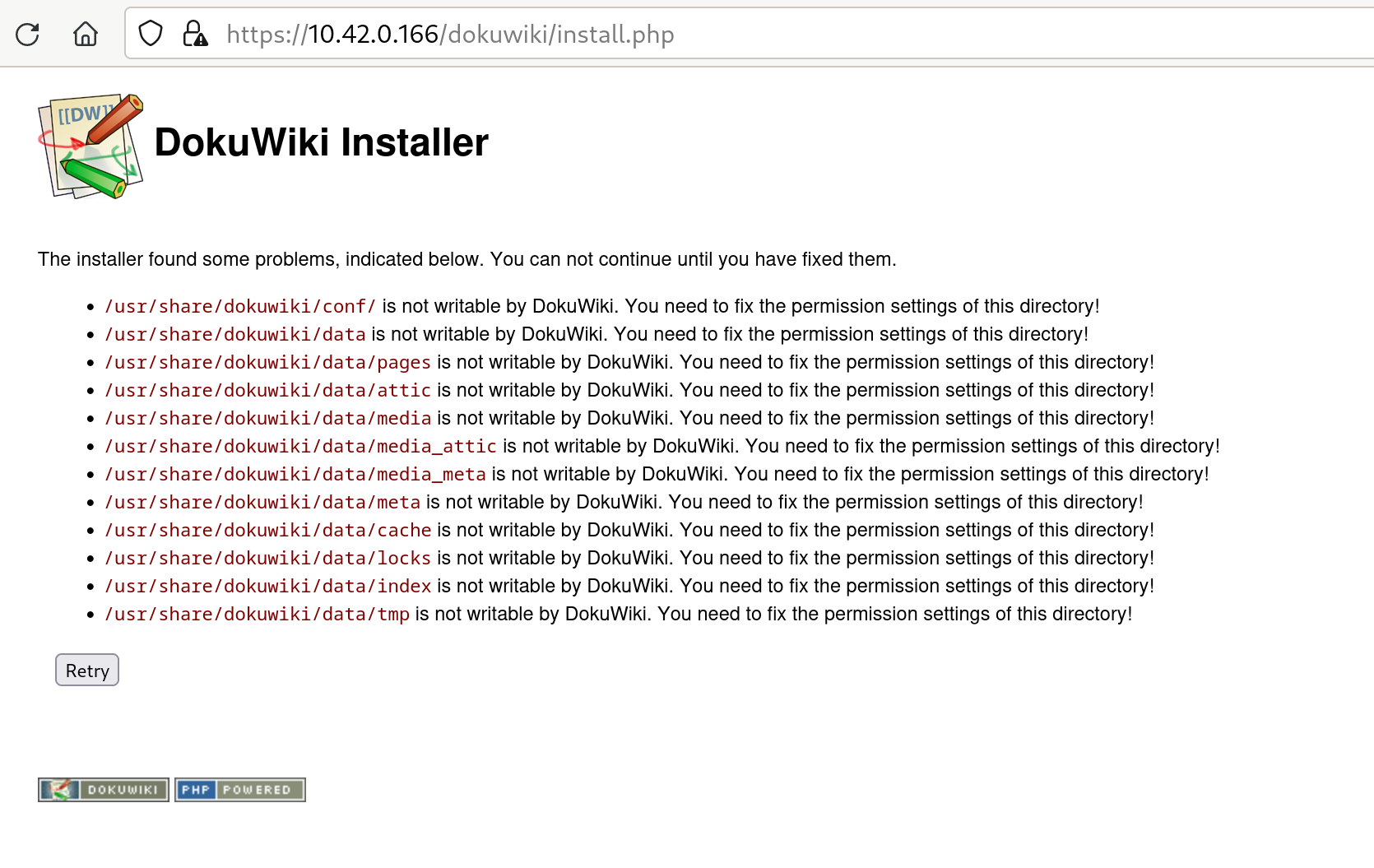
However, I found that the current Debian package for DokuWiki is not usable.
- The Apache configuration shipped by the Debian packaged and enabled by default only allows access to localhost, which makes it usable only as a desktop application, not on servers. This can be fixed in FreedomBox.
- Files are spread across /usr/share/dokuwiki, /var/lib/dokuwiki and /etc/dokuwiki in a way that the software doesn’t expect them to be. There should be symlinks from the directories that Debian wants to put the files in to the directories that the application expects the files to be.
---
### Author:  [@nbenedek](https://discuss.freedombox.org/u/nbenedek)
#### Post date: [March 8, 2024, 2:08pm UTC](https://discuss.freedombox.org/t/adding-dokuwiki-app-using-the-debian-package/2962/2 "2024-03-08T14:08:10Z")
Setting the debconf questions priority to low with `dpkg-reconfigure debconf` and then running `dpkg-reconfigure dokuwiki` allows you to properly set all these things without additional hacking. I went though the setup this way and it works out of the box!